40
Turn off tracking function before doing zoom in/out
function.
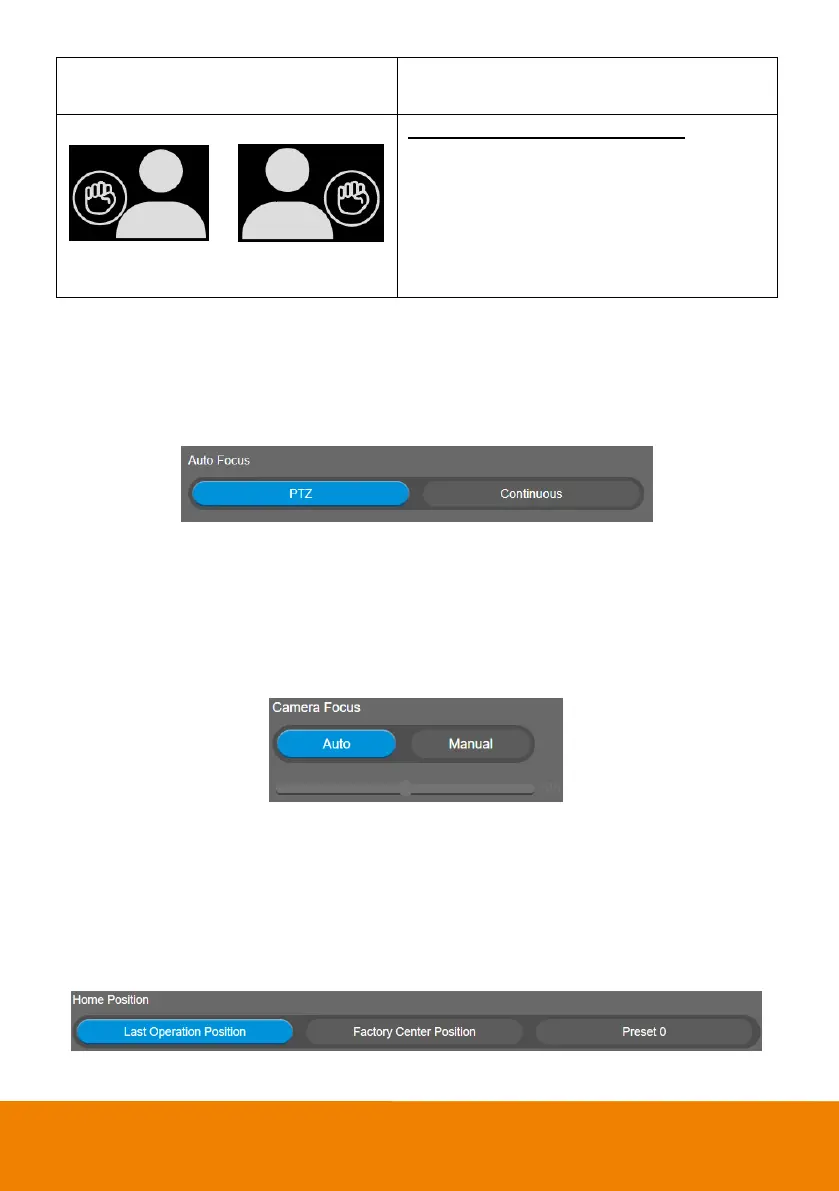
You have to be in the view of PTZ lens.
Place a fist with palm facing the camera on the
side of the face for 2~3 seconds to activate the
zoom out. Your hand has to be at least 10cm away
from your face.
Turn off tracking function before doing zoom in/out
function.
Auto Focus
Set auto focus mode.
First select Setting > Camera > Camera Focus > Auto.
Select Setting > Camera > Auto Focus > PTZ or Continuous.
PTZ: Click the button (such as pan, tilt, or zoom in/out) to adjust focus once.
Continuous: The camera will adjust the focus when the objects have moved.
Camera Focus
Set auto/manual focus mode.
Select Setting > Camera > Camera Focus > Auto or Manual.
Auto: Camera adjusts focus automatically.
Manual: You can adjust the camera focus by moving the control bar below.
Home Position
Every time when powering on the camera, it will turn to this position.
Select Setting > Camera > Home Position > Last Operation Position, Factory Center Position, or
Preset 0.



 To Next Page