15
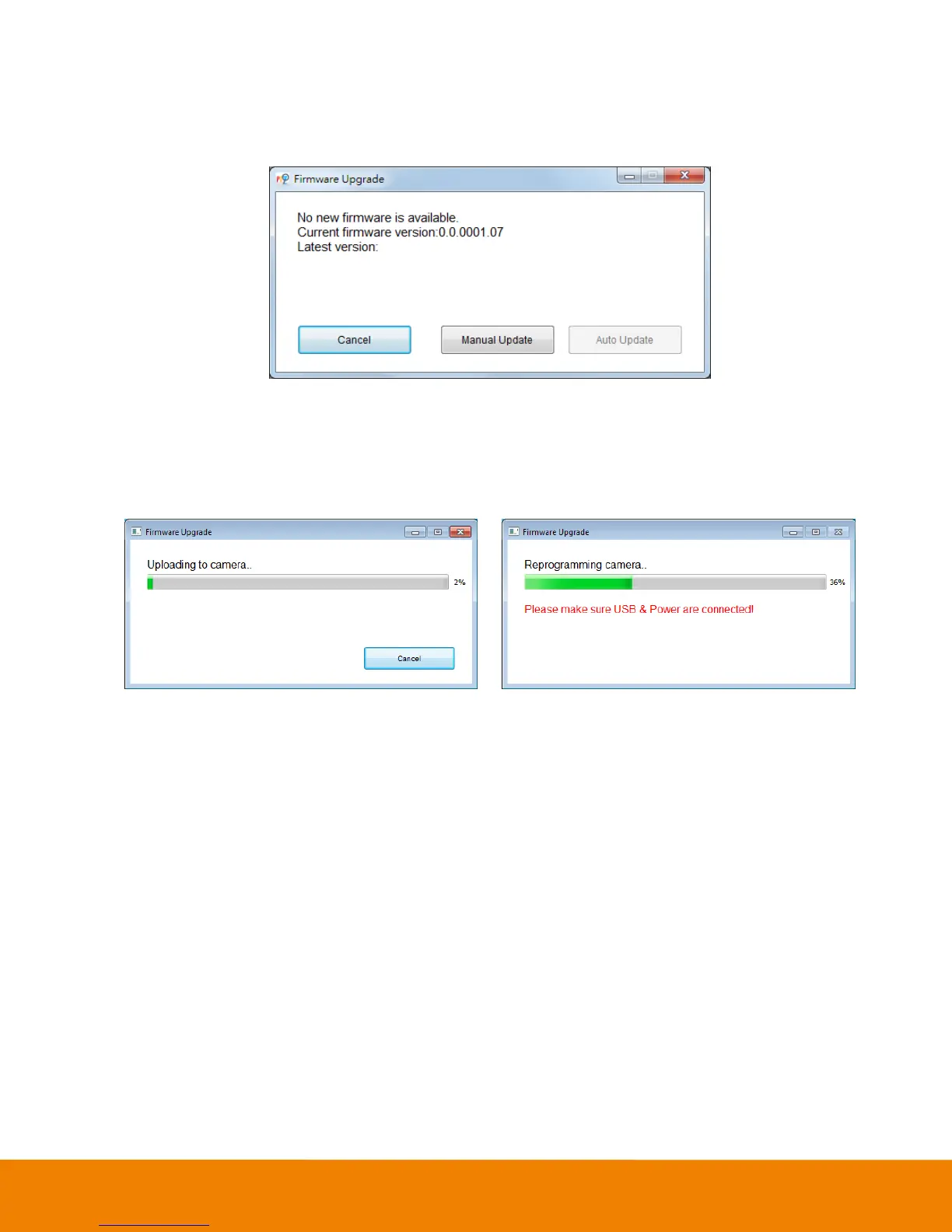
Update Now: Allows the user to update the VB342 camera’s firmware.
1. Click” Update Now”.
2. A dialog will display the current firmware version and available new firmware version (internet
connection is required).
3. To auto update, click “Auto Update” and update process will start. The new firmware will be
downloaded first; then, the new firmware will be uploaded to camera.
[Note] Before updating the new firmware to the camera, please make sure camera and laptop/PC
are all well connected and stay connected during the entire process.
Download new firmware Update new firmware to camera
4. To update the firmware manually, click “Manual Update” and locate the new firmware to start
the process.
Troubleshooting: collect more system information for troubleshooting before you contact AVer
technical support.



 To Next Page