MHL Setting
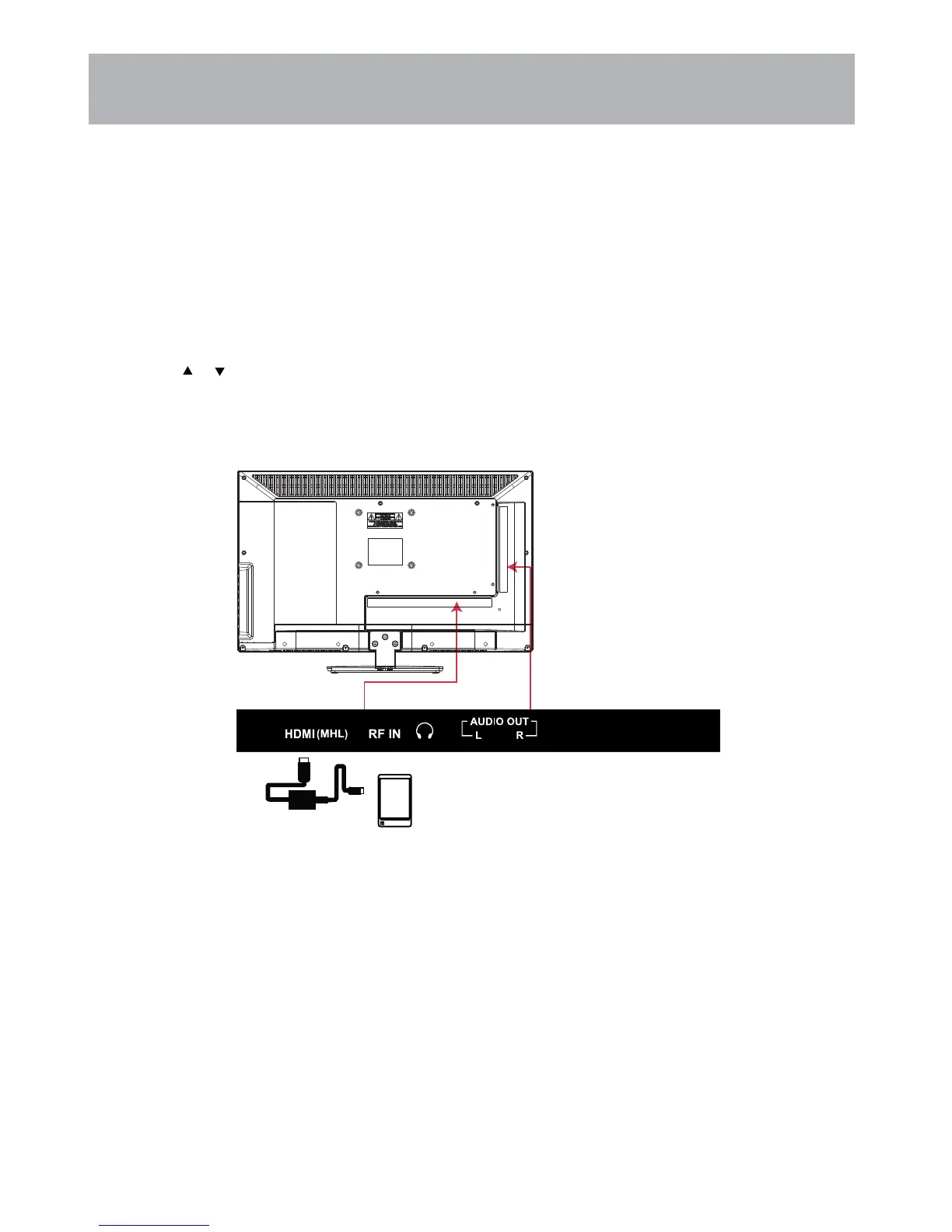
Connecting a MHL-enabled device
You can connect a compatible MHL-enabled device, such as a cell phone, and view your device’s screen on your TV.
To connect a MHL-enabled device:
3.
4.
HDMI cable with
HDMI-to-MHL
adapter
MHL-enabled device
1. Press INPUT to display the Input Menu.
2. Press
or
to select HDMI, then press ENTER.
You should now see the screen image of your connected device on the TV.
31
Connect a MHL cable (not provided) to the micro USB port on the device, then connect the other end
of the cable to the HDMI(MHL) input on the side of your TV.


 To Next Page