AVerMedia AVerTV BoxW9 Plus
ENG-8
Chapter 4 OSD Menu Settings
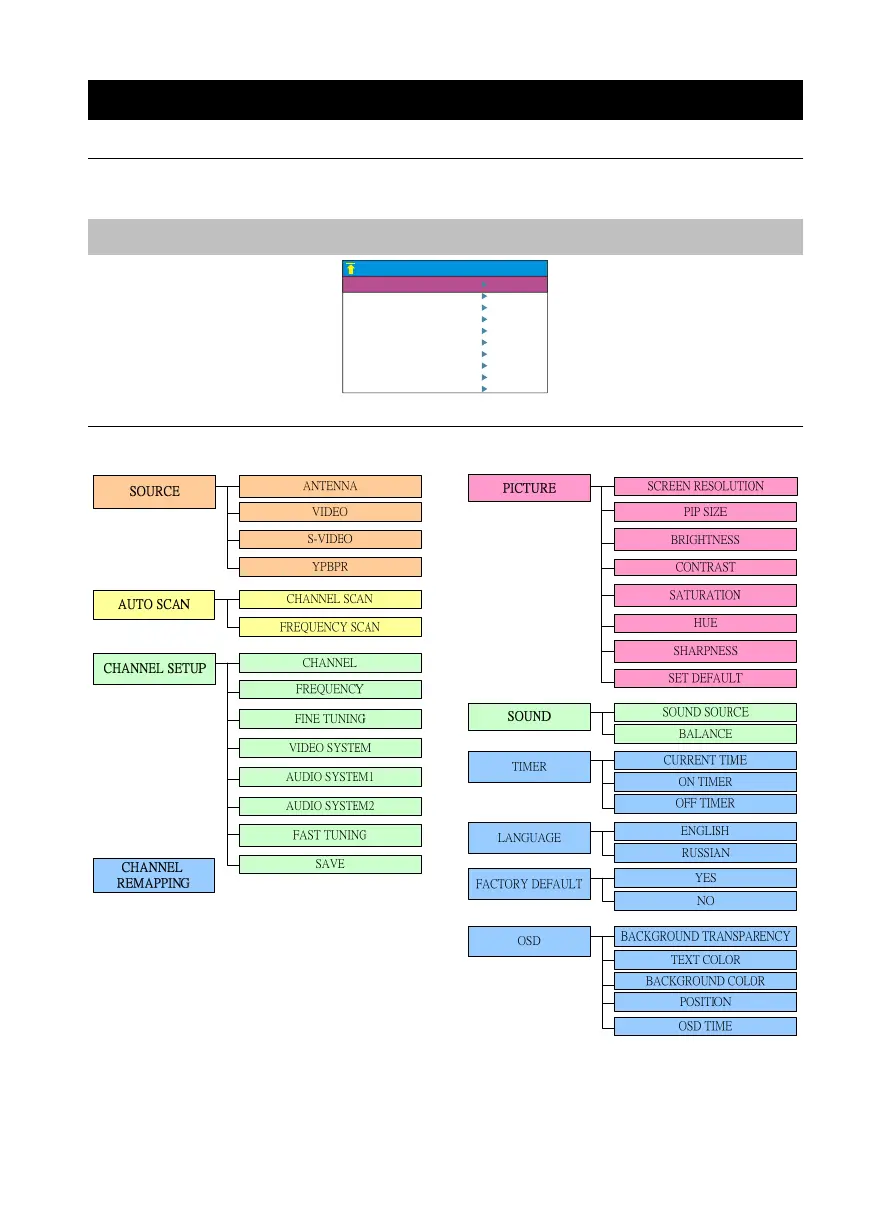
4.1 Calling Up the MAIN MENU
Press the MENU button on the remote control to open/close the MAIN MENU or a submenu. Then, you can use the
CH▲ or CH▼ button to select the items in the menu list; and the Vol◄ or Vol► button to adjust a setting. The next
table lists the different functions you will find in the MAIN MENU.
Note:
The text appeared in red is the currently selected setting.
MAIN MENU
SOURCE
CHANNEL REMAPPING
CHANNEL SETUP
PICTURE
TIMER
SOUND
LANGUAGE
AUTO SCAN
FACTORY DEFAULT
OSD
4.2 Menu


 To Next Page