English - 3
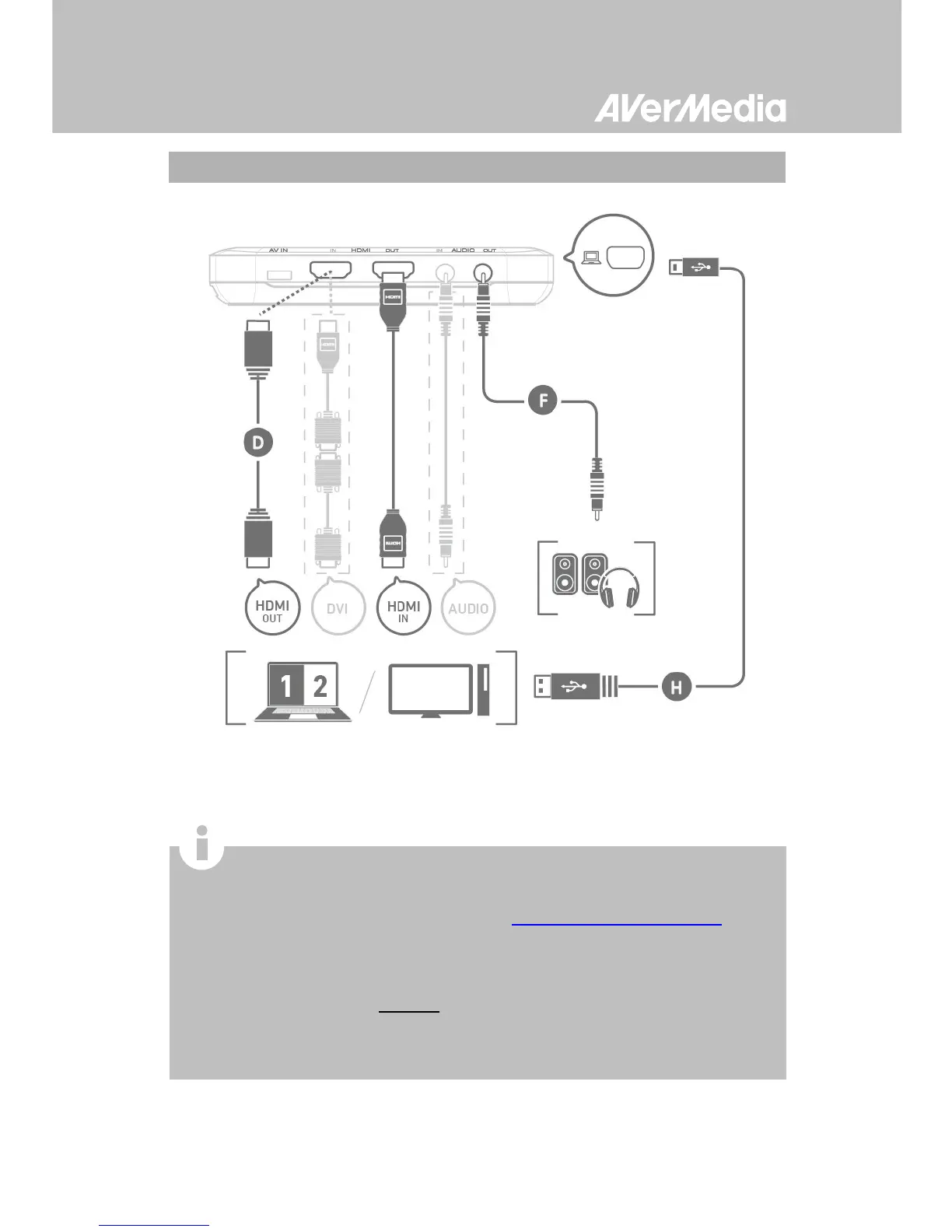
Connect to Your Gaming PC – Desktop / Laptop
When using a laptop, if you want to output source, please
duplicate the displays to avoid no image on screen. To know
more, please refer to the FAQ on
gamerzone.avermedia.com
To capture from the other computer, please connect the
computer of your video source to the HDMI IN port on the Live
Gamer Portable.
For a computer without an HDMI Port, use a DVI to HDMI cable or
converter for connection. Also connect your PC or laptop to the
device (AUDIO IN) via the 3.5mm Audio Cable.


 To Next Page