English - 6
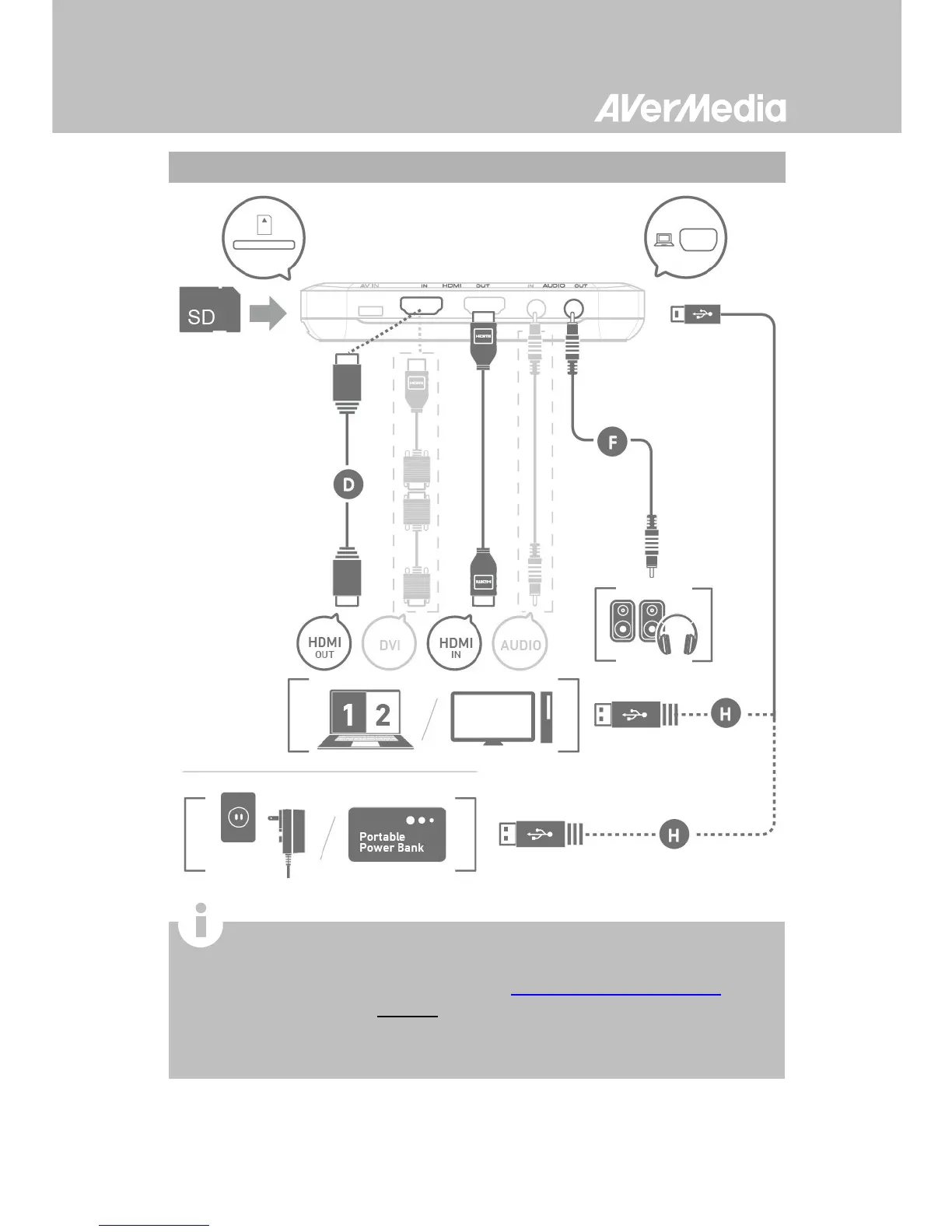
Connect to Your Gaming PC – Desktop / Laptop
When using a laptop, if you want to output source, please
duplicate the displays to avoid no image on screen. To know
more, please refer to the FAQ on
gamerzone.avermedia.com
For a computer without an HDMI Port, use a DVI to HDMI cable or
converter for connection. Also connect your PC or laptop to the


 To Next Page