EN-3
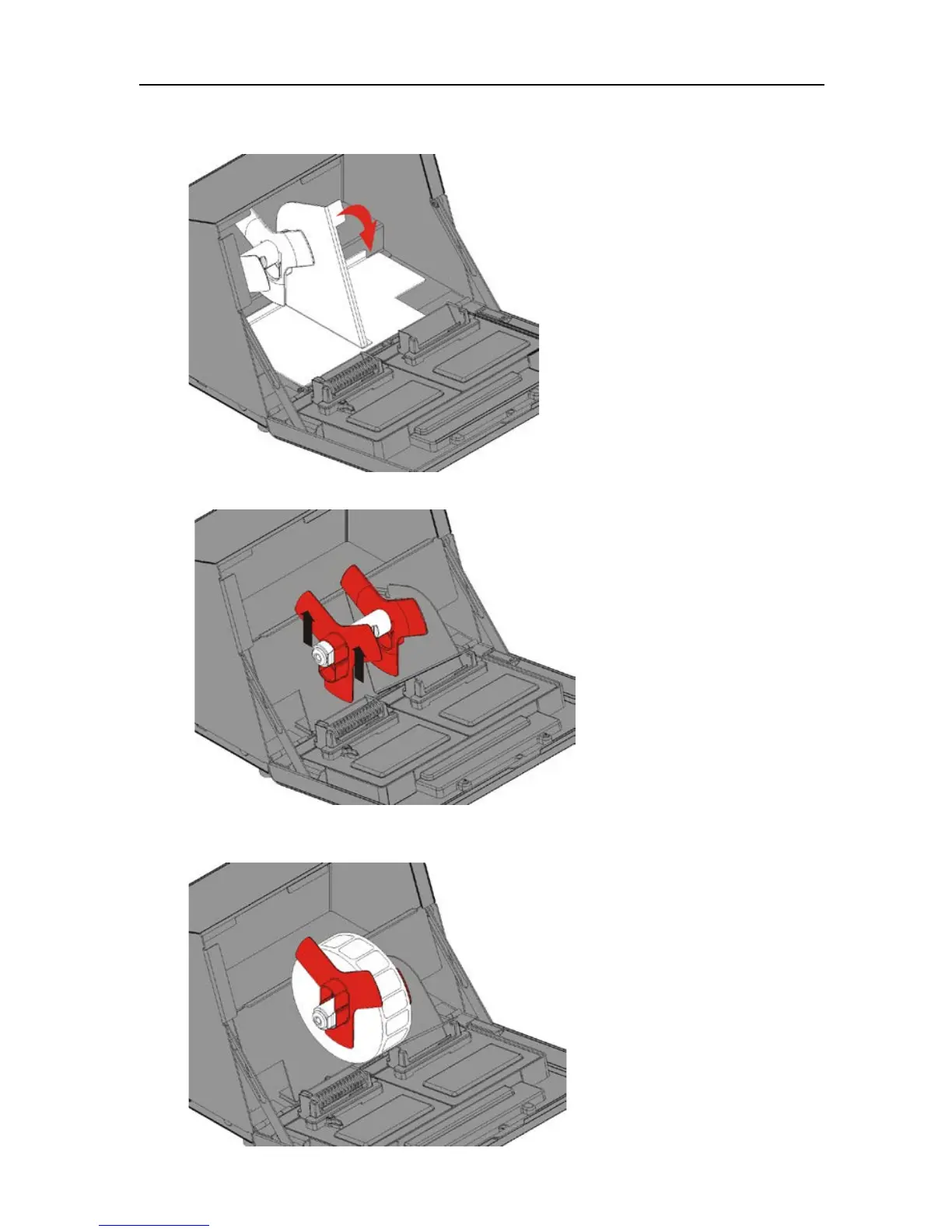
Loading Labels – Left Printer
1. Turn on the printer then open the cover.
2. Pull on the supply tab.
3. Unlock the supply guide and remove it.
4. Place a roll of labels (label side up) on the supply holder.
Place the supply guide on the supply holder.











 To Next Page