10
EN
d - CONFiGurATiON
INDOOR ROTATING 720P IP WIFI CAMERA
1 - CONFIGURING THE CAMERA AND
ADDING IT TO THE APP
DownloadandinstalltheAviwatch
appfrom
theappstoreorGooglePlayonyoursmartphoneor
tablet,thenlaunchtheapp.
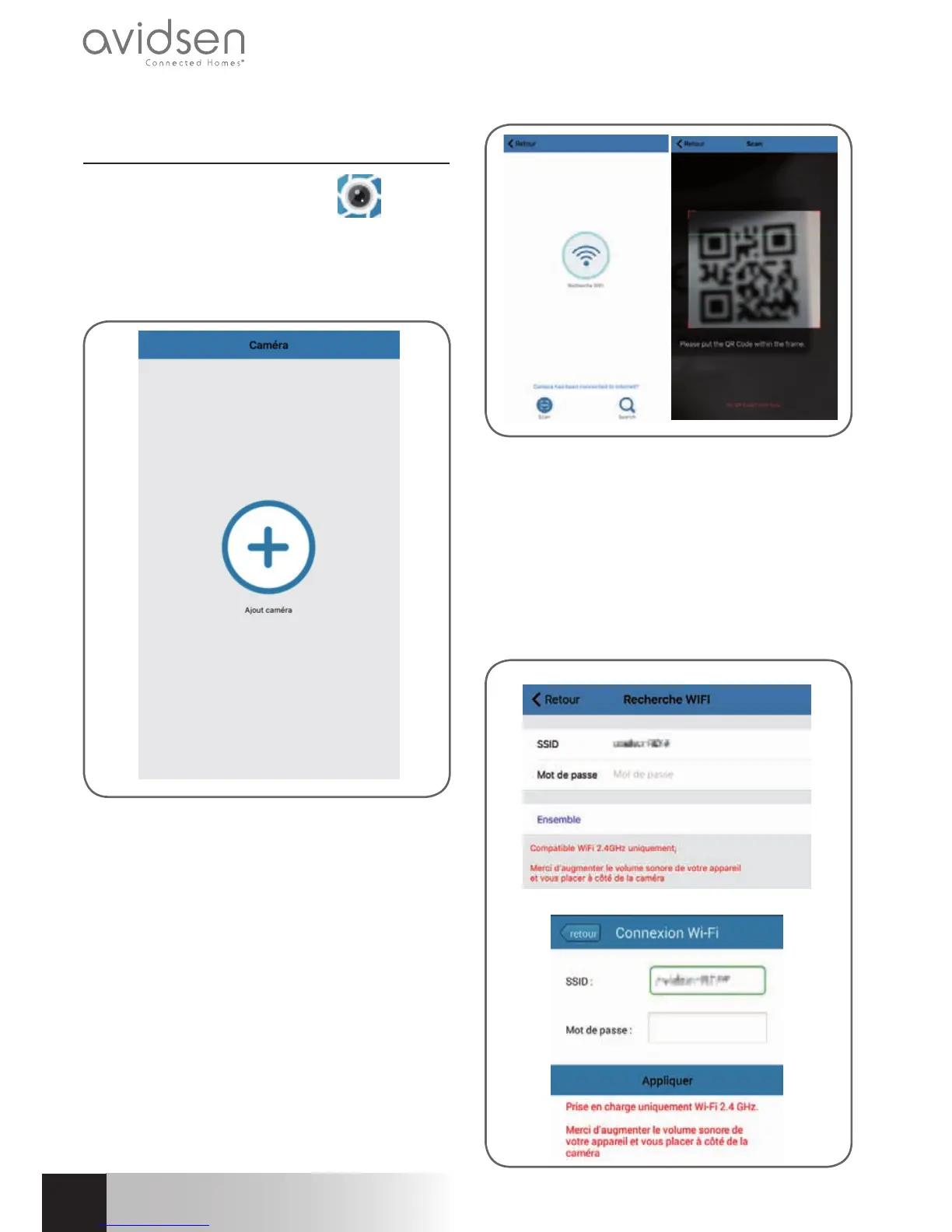
Clickon"+"toaddthecamera
Then click "recherche wifi " (Scan WiFi) to add
yourcameraandscantheQRCODE,ifaccessible,
otherwiseclick"No QRCODE? Click here"
Important: connect your smartphone or tablet
to the WiFi network that your camera should
be using.
Not compatible with HT40 WiFi, not compatible
with 5 GHz WiFi. Please check the WiFi
parameters of your box with your internet
service provider.
The special characters (# ! " &, etc.) in your
security key may lead to diffi culties connecting
to the WiFi.
iOS
Android



 To Next Page