C - INSTALLATION
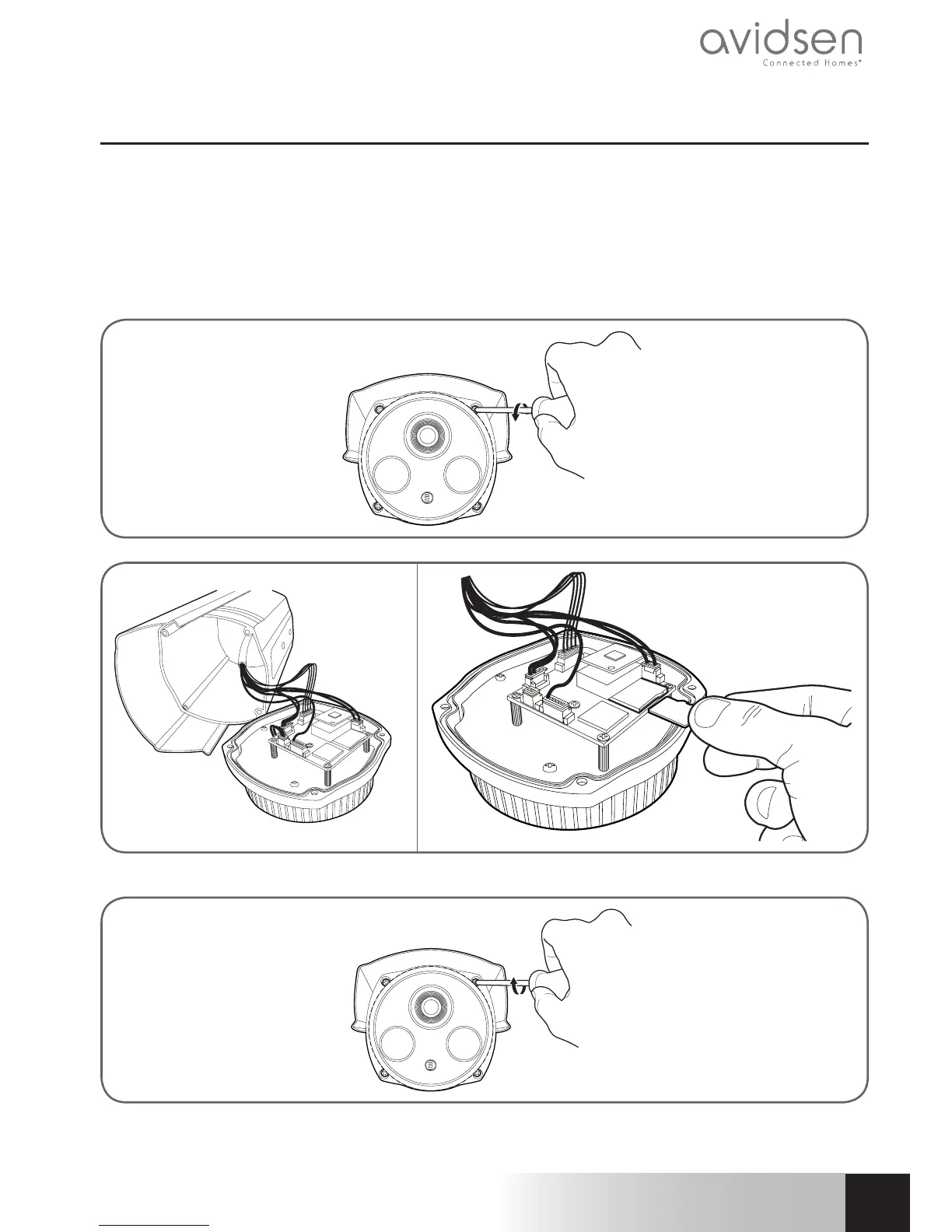
3 - INSERTING A MICRO SD CARD (NOT INCLUDED)
Your camera has a micro SD card slot, which provides it with an internal storage memory. The maximum size
is 128 GB.
WARNING: Inserting a micro SD card into the camera requires opening the camera. To prevent making any
marks or scratches on the camera (inside face of the glass, lens, etc.), it is strongly recommended that you
disassemble it on a flat, clean and well-lit surface.
Remove the 4 screws on the front of the camera.
Remove the electronic card by pulling it out carefully.
Carry out these steps in reverse to close the camera.
Ensure that the seal is correctly positioned to prevent any ingress of water.



 To Next Page