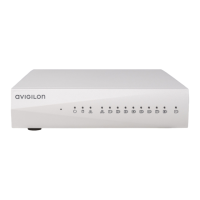
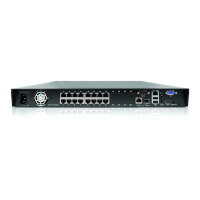
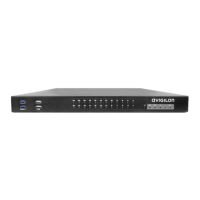
The Avigilon NVR5 Workstation is a Network Video Recorder (NVR) 5 Workstation preloaded with Avigilon Control Center (ACC) software, designed for exceptional performance and reliability in video surveillance systems. These workstations, available in a small form factor, can be easily integrated into existing Avigilon surveillance systems or serve as the foundation for new installations. The NVR5 Workstation models covered by this guide are NVR5-WKS-8TB and NVR5-WKS-4TB.
Function Description:
The primary function of the Avigilon NVR5 Workstation is to record, store, and manage video surveillance footage using the preloaded Avigilon Control Center (ACC) software. It acts as a central hub for an Avigilon surveillance system, providing the necessary hardware and software infrastructure for video recording, live viewing, and playback. The workstation is configured to deliver high performance and reliability, crucial for demanding video surveillance applications. It supports the activation of ACC software and feature licenses, allowing users to unlock various functionalities. Additionally, it offers optional connectivity to Avigilon Cloud Services (ACS), enabling centralized access across distributed systems and facilitating system settings backup.
Important Technical Specifications:
The manual provides details on the physical layout and connectivity options of the NVR5 Workstation.
- Front View:
- Power button: Controls the power supply and indicates system status.
- Optical drive: Accepts CDs or DVDs.
- Headset port: For connecting a headset.
- USB 2.0 ports: For connecting external USB devices.
- USB 3.2 ports: For connecting external USB devices, offering faster data transfer.
- Back View:
- Audio port: For line-in or line-out audio connections.
- DisplayPorts: For connecting display monitors. The workstation has multiple DisplayPorts, and Avigilon recommends using a maximum of two for optimal performance. Windows orders these ports 3, 1, 4, then 2 from top to bottom, and monitors should be connected in numerical order, especially for a 2-monitor setup.
- USB 3.2 ports: For connecting external USB devices, including the supplied keyboard and mouse.
- USB 2.0 ports: Additional USB ports for external devices.
- 1 Gigabit Ethernet ports: For network connections.
- Power supply connector: For connecting the power cable.
- Storage: The model numbers NVR5-WKS-8TB and NVR5-WKS-4TB indicate the storage capacity, specifically 8 terabytes and 4 terabytes, respectively, for video recording.
- Operating System: The workstation comes preloaded with Windows 10.
- Recovery Partition: An onboard Avigilon recovery partition is available for operating system recovery, separate from the main operating system partition.
Usage Features:
- Initial Setup: The workstation requires initial configuration of the Windows operating system, including language, region, keyboard settings, and administrator account creation. The ACC client automatically starts after logging into the Windows environment for the first time, unless performing an operating system recovery.
- Cable Connections: Users need to connect the keyboard, mouse, monitors (to the dedicated graphics processor), Ethernet cable for network access, and the power cable.
- Software Activation: The ACC software and feature licenses (referred to as Product Keys or Activation IDs) must be activated. This can be done either online (if internet access is available) or offline (by transferring files between the workstation and an internet-connected computer).
- Reactivating Licenses: If servers are added to or removed from a multi-server site, existing site licenses become inactive and require reactivation to confirm system changes and maintain normal operations.
- Cloud Services Connectivity (Optional): After ACC software activation, the workstation can be connected to Avigilon Cloud Services, which may require a subscription. This provides centralized access across distributed systems and allows for backing up system settings like ACC passwords and camera connection configurations.
- Monitoring System Health: Users can monitor the health of system components through the Site Health page in the ACC Client software or Avigilon Cloud Services (ACS).
- Network Configuration: By default, the NVR5 Workstation acquires an IP address via DHCP. Users can configure a static IP address or other specific network settings using Windows Help and Support files.
Maintenance Features:
- Operating System Recovery: The NVR5 Workstation includes an onboard Avigilon recovery partition, allowing users to restore the Windows operating system to factory settings without needing an internet connection or a bootable USB recovery device. This process erases the operating system drive, so backups of ACC configuration and video recordings are crucial beforehand. After recovery, the ACC software needs to be reinstalled and licenses reactivated.
- LED Indicators: The workstation features LED indicators on the front panel to provide status information:
- Power Status Indicator:
- Off: Power supply not connected or workstation is off.
- Flashing amber: Initial power-up state; persistent blinking indicates a power supply unit (PSU) problem.
- Steady amber: Second power-up state, indicating PSU is likely OK.
- Flashing white: Power supplied, workstation in low-power or sleep state.
- Steady white: PSU working, workstation powered on.
- Hard Drive Activity Indicator:
- Off: Hard drive not in use.
- Flashing white: Data is being read or written.
- Technical Support: Avigilon provides technical support and additional product documentation, software, and firmware upgrades through their support website.
- Product User Guides: Specific user guides for Avigilon Workstations are available on the Avigilon website's Downloads page.
- Limited Warranty: Warranty terms for the product are available on the Avigilon website.
The NVR5 Workstation is designed to be a robust and user-friendly solution for professional video surveillance, offering essential features for deployment, operation, and maintenance within the Avigilon ecosystem.

 Need help?
 General

 To Next Page