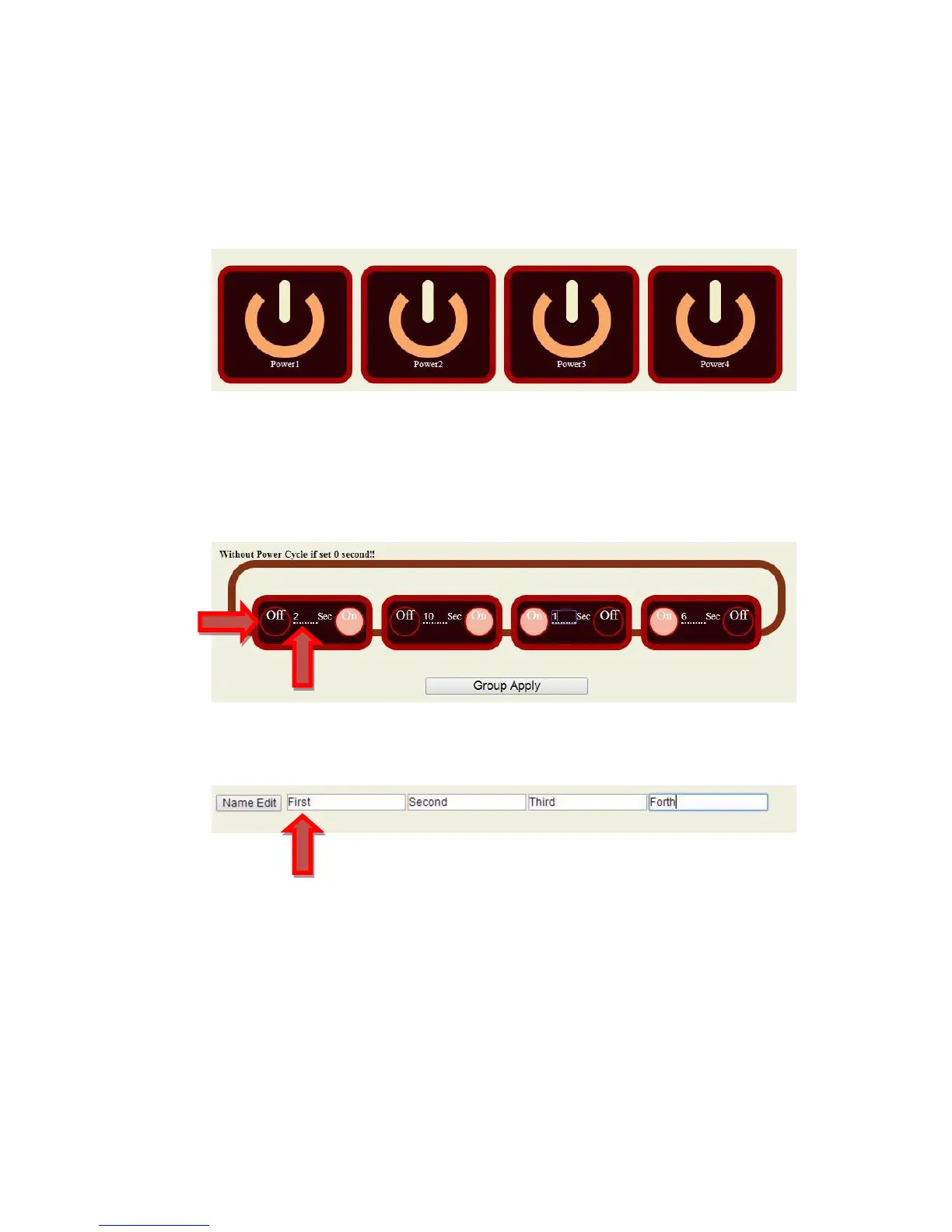
A. Control
User can do the following 3 basic operation in this page :
A-1 . Manual control each port ON or OFF directly by pressing the power sign.
A-2. Power Cycle & Group Setting :
This section allow user to setup the output Reset action and Group control . The cycle time
from OFF to ON can be set from 1 to 99 seconds
A-3 Edit the name of each outlets
B. Schedule : Control each power outlets by Schedule:
With the power schedule , the user can setup power daily events to control the devices attached
to the 9258


 To Next Page