System Setting
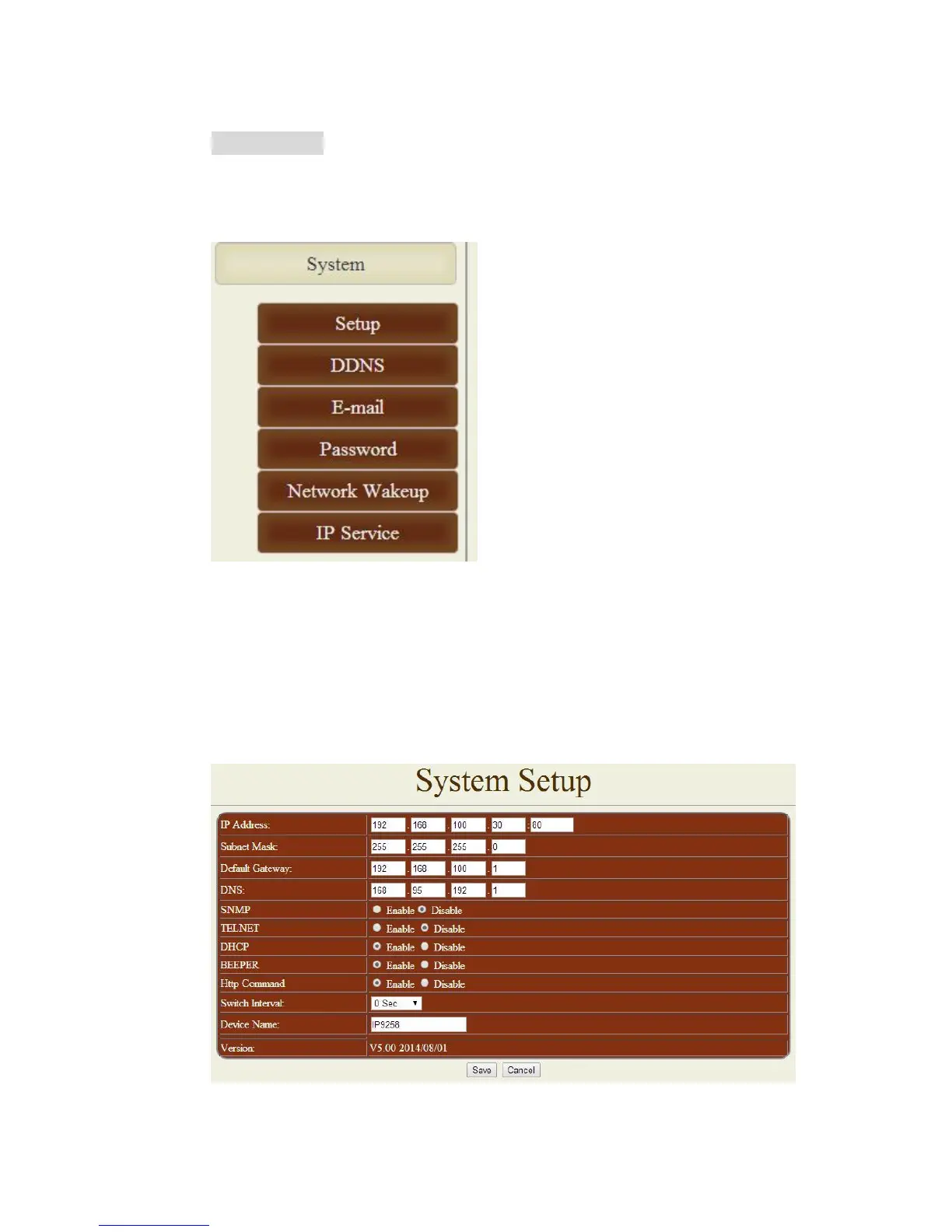
There are 6 sections : Setup , DDNS , Email , Password , Network Wakeup & IP Service .
A. Setup – System Configuration
Click on the Setup link located on the left hand column. In this page the user will be able to
manually enter the IP Address, Subnet Mask, Default Gateway, DNS, SNMP , TELNET ,
DHCP , Beeper, Http Command , Switch Interval ( Delay Switch ) , Device name and
Version.


 To Next Page