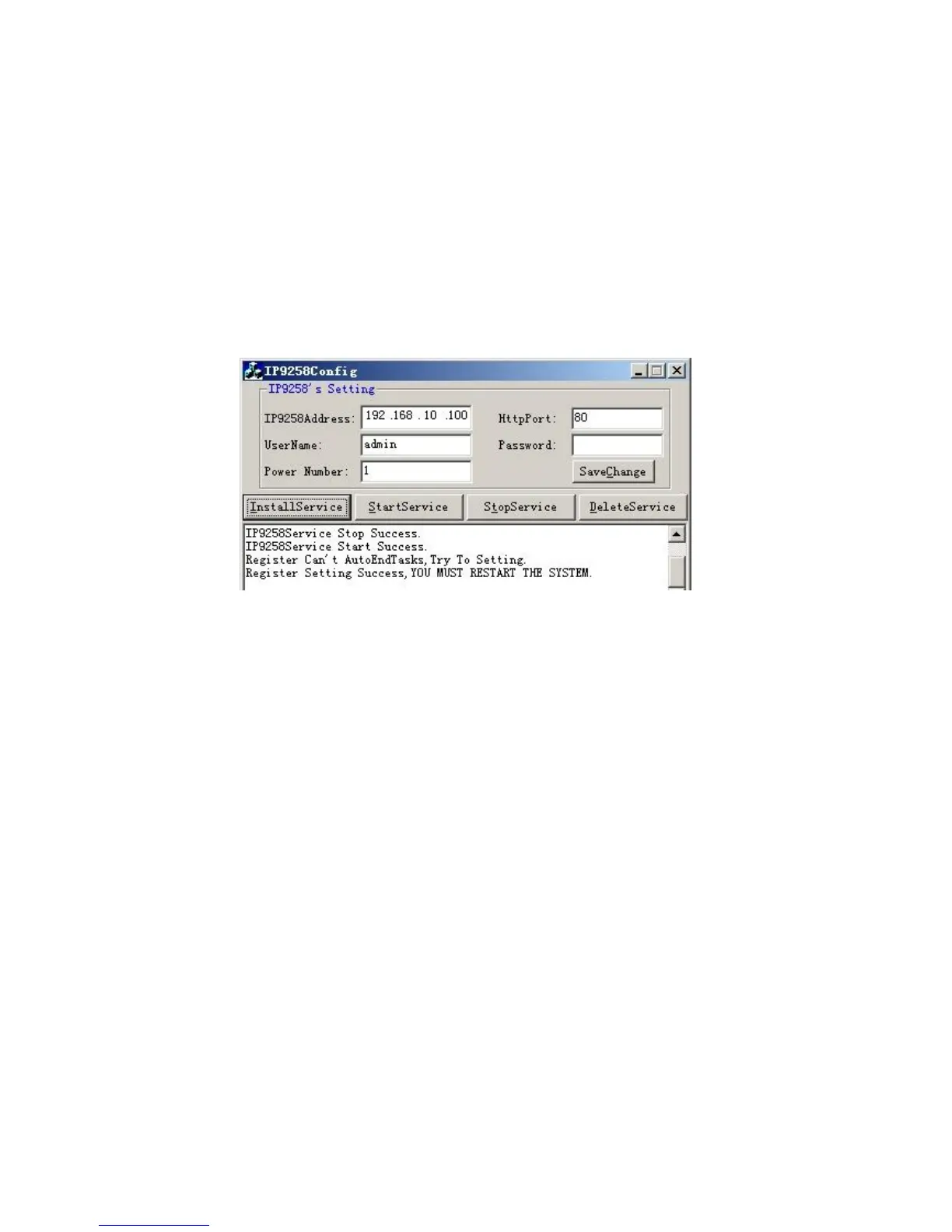
* IP9258 Address: Please type in the IP address of the 9258.
* Http Port: Fill the port of 9258, default value is 80, if amend the port in 9258 please correct.
* UserName: admin
* Password: 12345678 (password can amend in web page)
* Power Number: Please enter the power number in the 9258 that you want to control (If many
PC/Server use same power extended line, the extended line connect to channel
1 of 9258 and if all the PC / Server set as channel 1 and same IP address in
IP9258service.exe , then all the PC/Server will be controlled at same time).
a.) Click on “Save Change “.
b.) Then Click “InstallService”
c.) Then “StartService” then please shutdown the PC/Server.
After the PC has been restarted, the function will be in effect.


 To Next Page