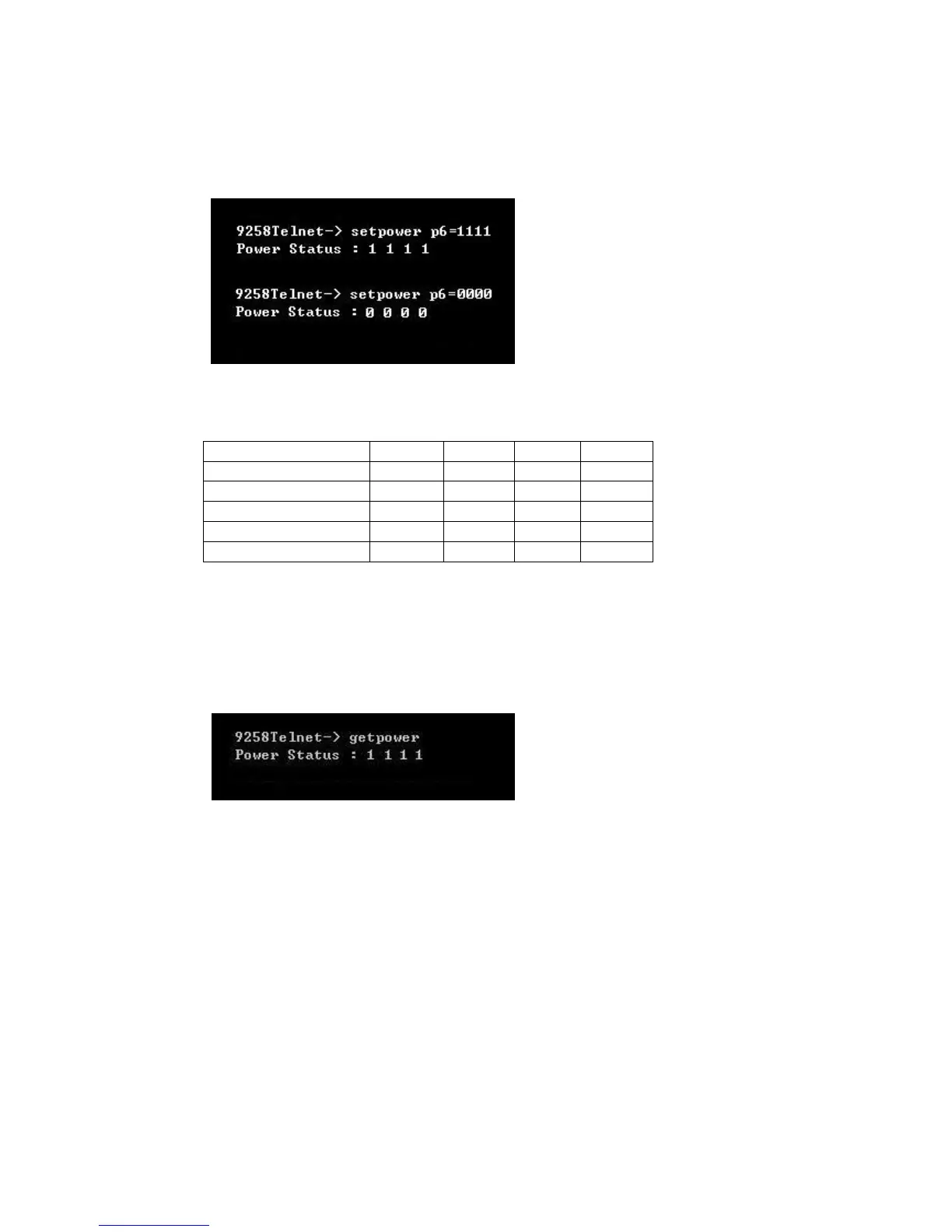
Set power: The set power command allows the device to turn on and turn off ports on the
device. To set power on the device type
For example : The default status of each port are all OFF.
1 : on
0 : off
x : ON/OFF status No change ( x as lower case )
Get power: The get power command gives you the current status of the device. To get power on
the device type:
When get power is typed all 4 ports will show whether the ports on on/off using 1's and 0's.
Setport : user can change the sequence of port action / read status display as 4-3-2-1
( default ) or 1-2-3-4 .
setport p6=1-4 {outlets sequence 1234}
setport p6=4-1 {outlets sequence 4321}


 To Next Page