- 20 -
4.1.3 Time :
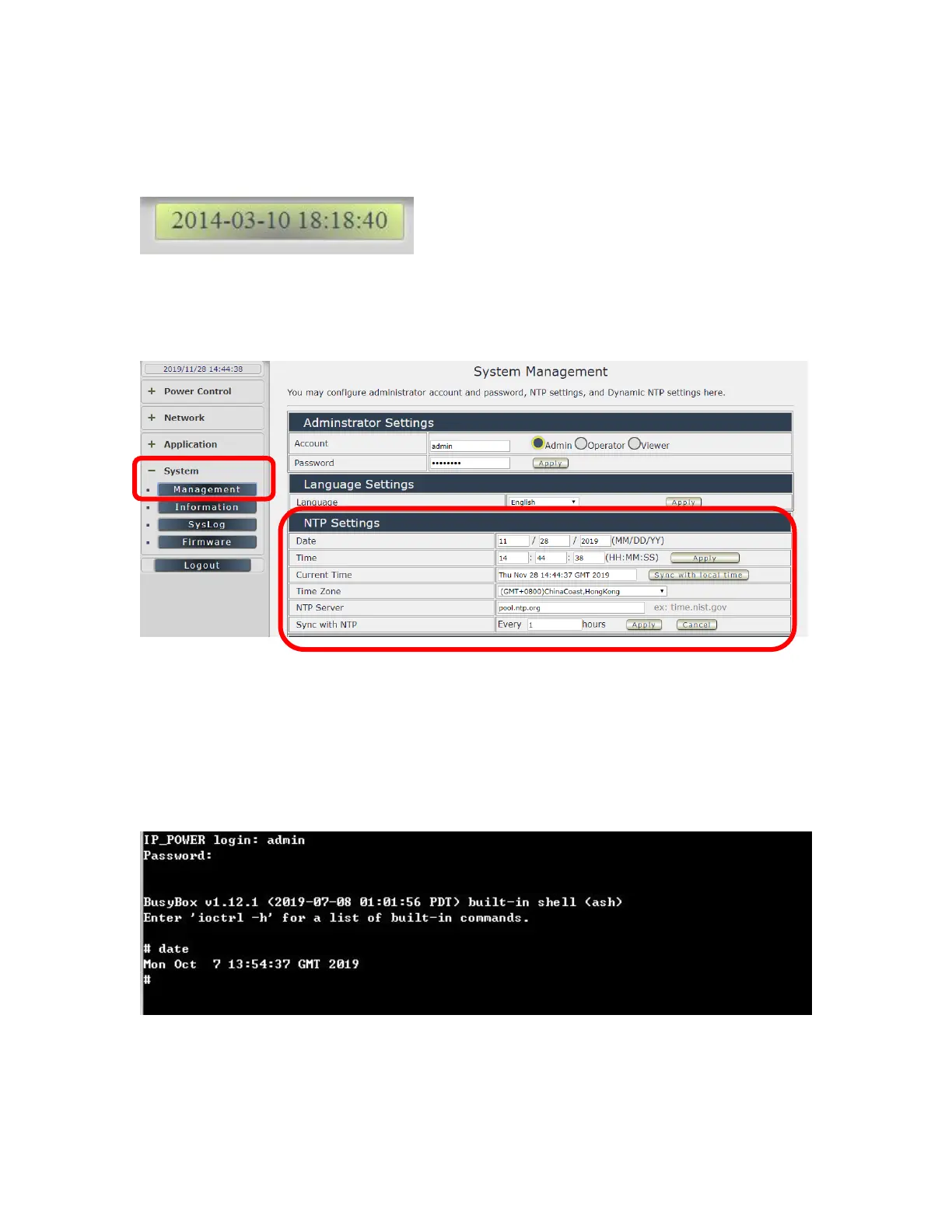
In this section, it shows Time at Year – Month – Date Hours : Minutes : Seconds .
To setup the Time , Please go to “ System → Management → NTP Settings “ , please press
“Apply” to save the new setting . There are 3 time sync sultion :
Time - Manual setting , Current time - sync with Local PC or NTP Server
1. Time - Manual setting : fill the assigned time and then click “Apply “ in time section
2. Current time - sync with the local PC log into 9858MT .
3. NTP Server - sync with the assigned sever and can setup the times for sync
Notice : As using NTP server , as webpage time count will be slower than the
device time , please refresh the webpage or use the telnet command “ to confirm the device
time.


 To Next Page