- 35 -
4.3 Network :
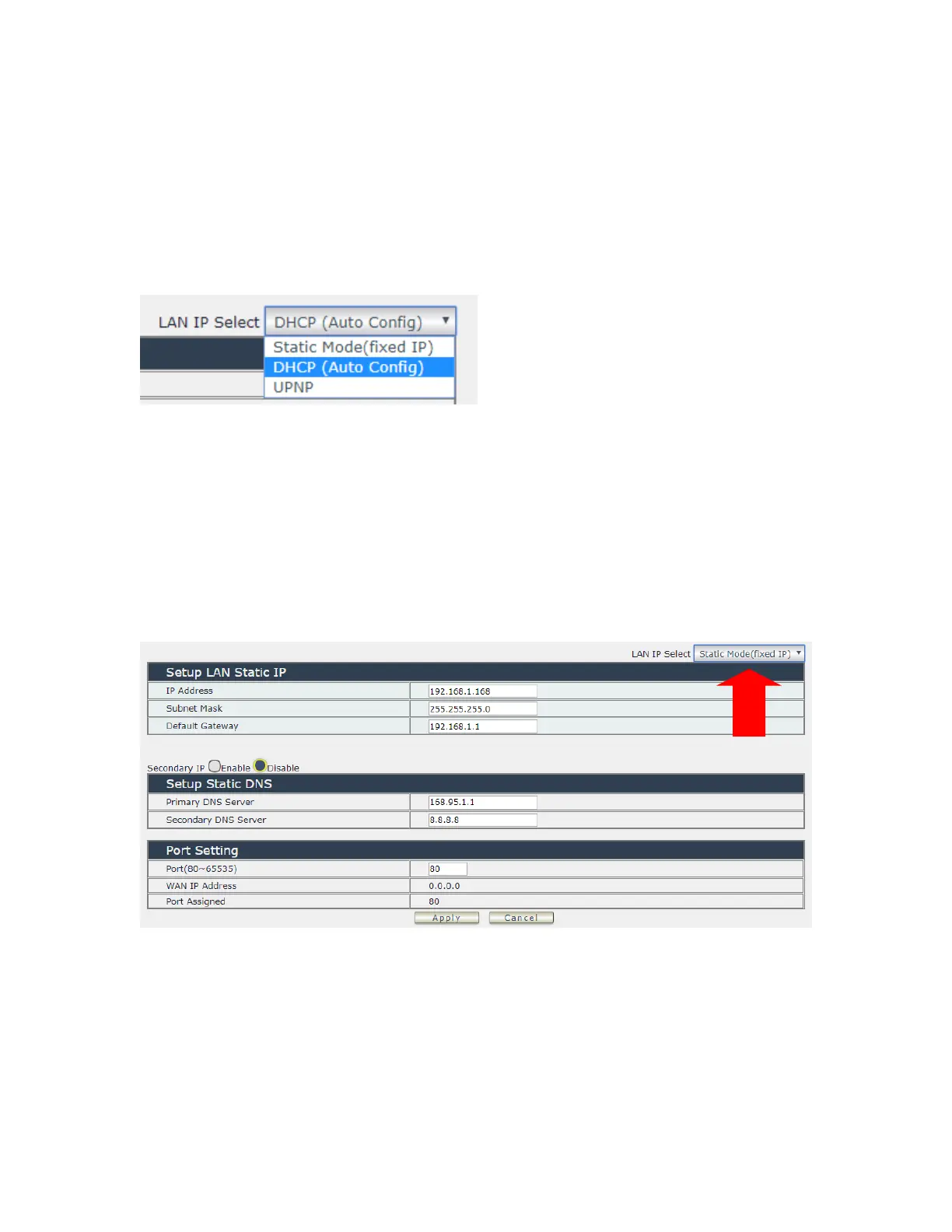
There are 3 sections in this port : LAN Network , DNS setting and Port setting
LAN Network Settings :
The network status is connected by ether cable with RJ45 connector . There are 3 network
connection way : Static IP / DHCP / UPNP
A. STATIC (fixed IP) :
Setup IP address , DNS and Port manually. This allows the 9858MT to obtain an IP Address
automatically from user`s server connected to Internet. Recommended for users who need to
control through Internet.
Please do fill up the correct gateway / port for login from Internet .
Please do fill up the correct DNS server for sending / receiving email ( alarm) .
B. DHCP Mode :
Obtain IP address via DHCP mode . setup the DNS and port
This allows the 9858MT to obtain an IP Address automatically from user`s server connected to
Internet. Recommended for non- advance users.


 To Next Page