Please amend the password as number or English character from
1 to 8 characters.
Do not use special symbol like “ ” ; : ~ ! @ # $ % ^ & * ( )
Please click “Apply “ button after change the account name / password
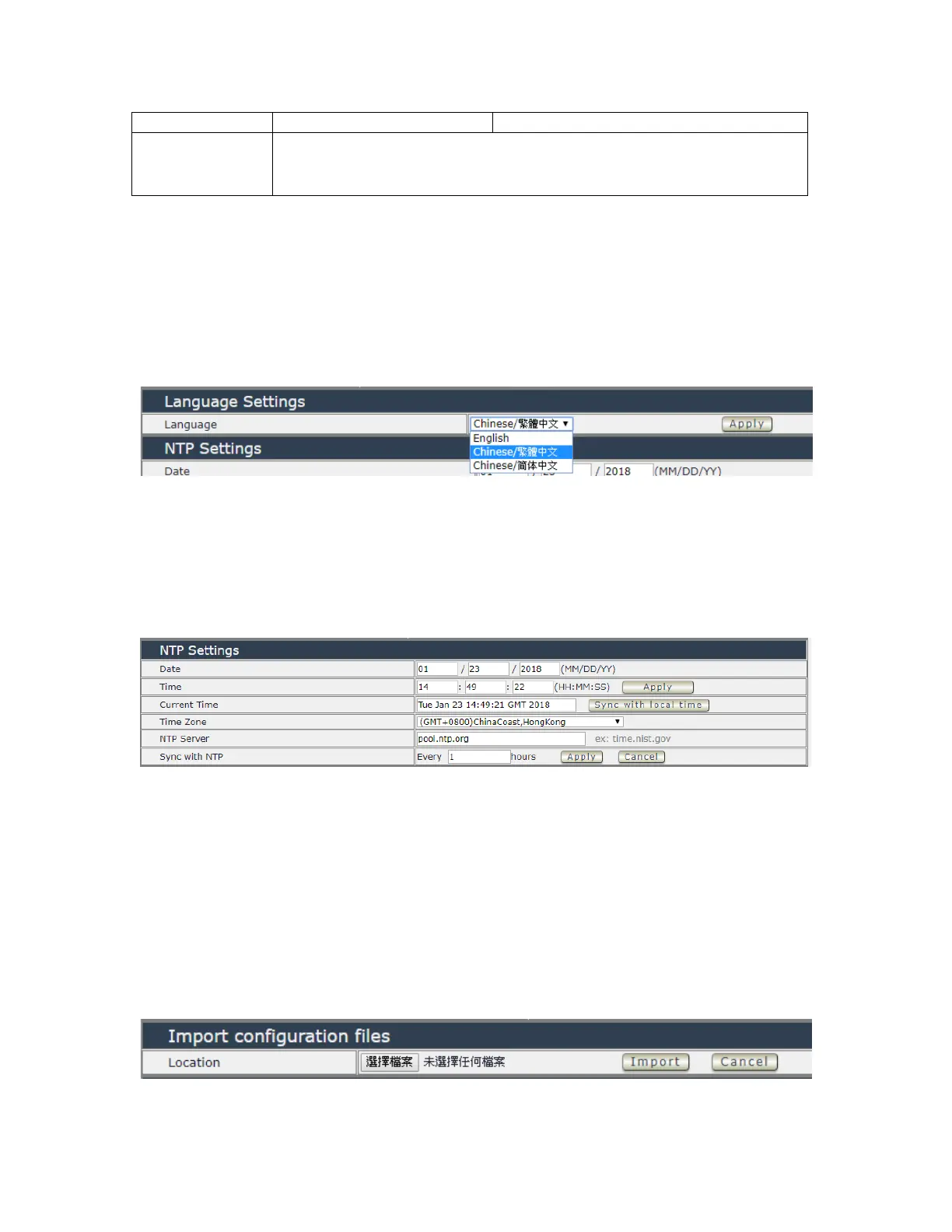
Langrage Settings
There are 3 language option of 9858MT .The default langrage is English.
The other two languages are “Traditional Chinese “ and “ Simple Chinese “ .
NTP setting
In this section , user can setup the date , time , current time , time zone , NTP server and sync
with NTP to get the time synchronization .
SYNC with NTP : User can setup the time gap ( 1~300 hours ) for 9858MT to check the time
with the NET server .
Import configuration file
To setup multiple with same setting , user can import the settings of other 9858MT from a “ DAT
“ file which is exported form another 9858MT . By import this file to other 9858MT device and
shorten the setup time .


 To Next Page