66
Testing and Operating Mode
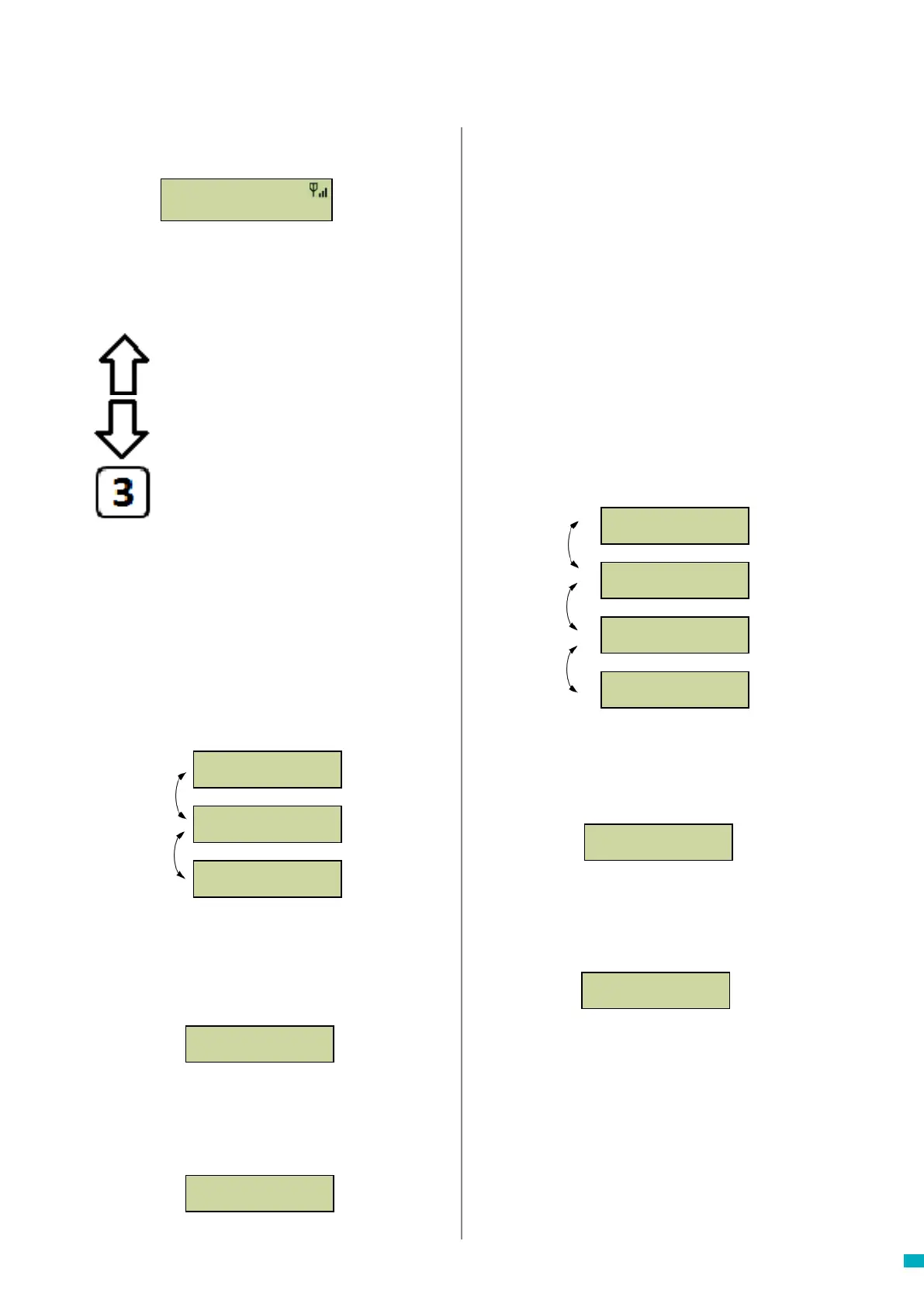
The status of the unit is shown on the top row of the idle
screen. If there are no faults, it will display ‘Status OK’.
1. Programming
Press 1 to access the standard programming menu.
Old Programming Mode – to program the Memcom
+
unit
using the Old Menu (code based) programming options,
simply press * followed by the passcode for the unit and
conrm by pressing # (default- *1234#) from the Idle
screen. A map of this menu is displayed on page 12 of this
document.
4. System Info
Displays the current system information for fault
diagnostics. Use the information shown in this section as
directed by the Avire Service Team if required.
5. Service Count
6. Fault Log
Displays information on all active faults – gives time and
date and fault mode.
Allows the alarm state to be reset. The message “7:End of
Alarm’ will ash on the top row of the idle screen until the
7 key is pressed to reset it.
Installation and essential programming are now complete,
please refer to Full Programming Options section on the
following pages of this guide if further programming is
required.
7. End of Alarm
Displays service count information if active.
2. Call Log
Displays the last 64 call events logged by the unit.
3. Event log
Displays the last 64 events for the unit.
*
Menu Controls
You can use the up and down arrow to navigate through
the options. Enter the option number to enter that option.
Fault Detected
If a fault is detected, then ’6: Fault Log’ will ash on the
top row of the idle screen as below. Press 6 to view the
fault log.
Alarm activated – End of Alarm
If the alarm state is activated i.e. an alarm call has been
placed. The unit will remain in alarm state until the ‘End of
Alarm’ is activated. Press 7 to end the alarm.
Menu Structure
Displays the current system information for fault
diagnostics
Scroll up
Scroll Down
Enter the option number required
Back / Cancel
Recent count is:
00000000
Service Due in:
00000500
Total Count is:
00000000
Overdue by:
00000042
6:Fault Log
1:Programming
7:End of Alarm
1:Programming
6:Fault Log
1:Programming
7:End of Alarm
1:Programming
Status OK
1:Programming
2:Call Log
3:Event log
4:System Info
5:Service Count
Status OK
1:Programming



 To Next Page