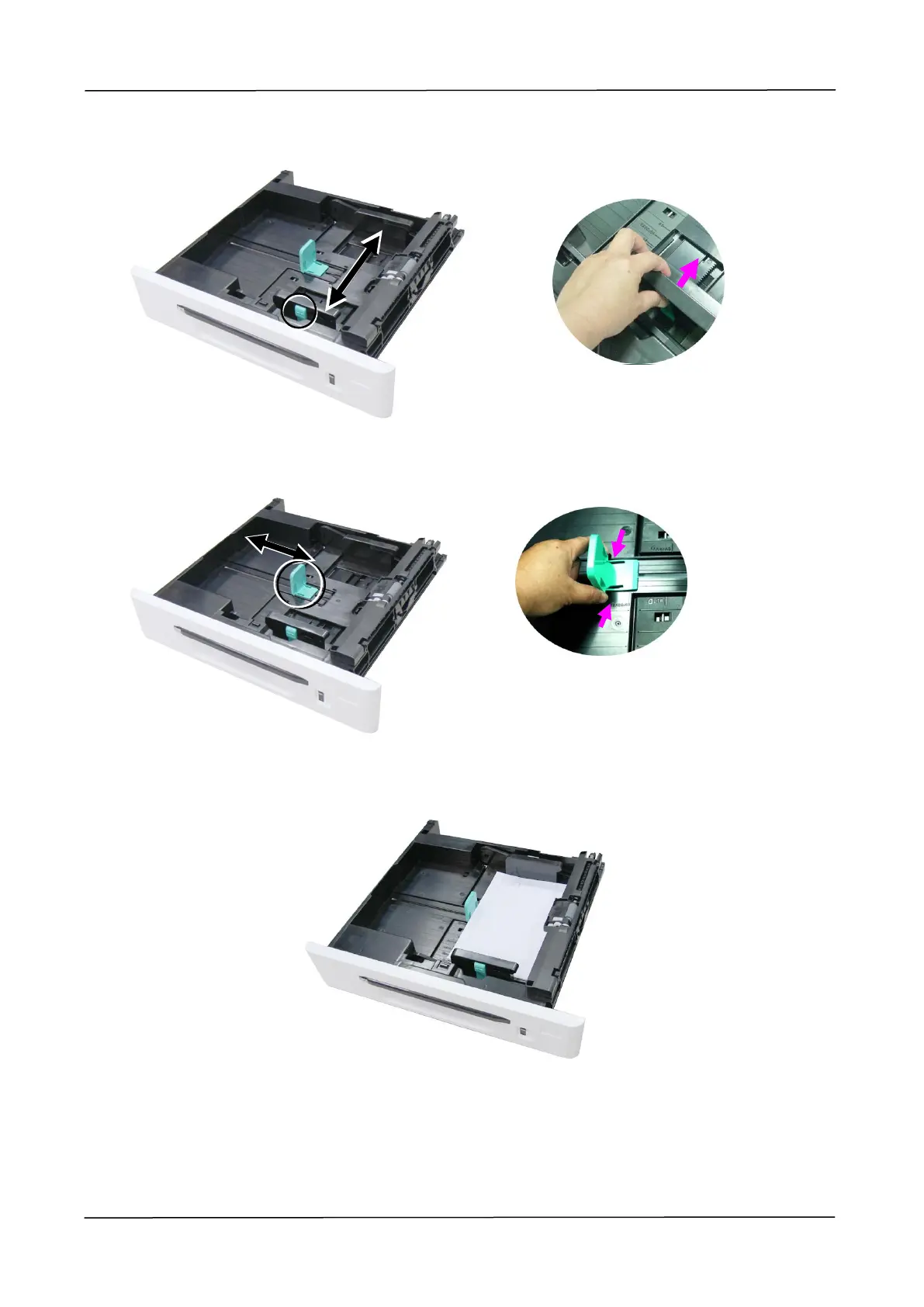
4. Push the center of the [Width guide tab] as shown, and move the width guide to the
correct position for the paper size being loaded.
5. Unlock the length guide, squeeze the bottom of the [Length guide tab] inward as
shown, and slide the guide to the correct position for the paper size being loaded.
6. Load the paper stack face up. Note the print side face up for single-sided
printing.
7. Insert the tray.


 To Next Page