3. Operation
ID Card Copy
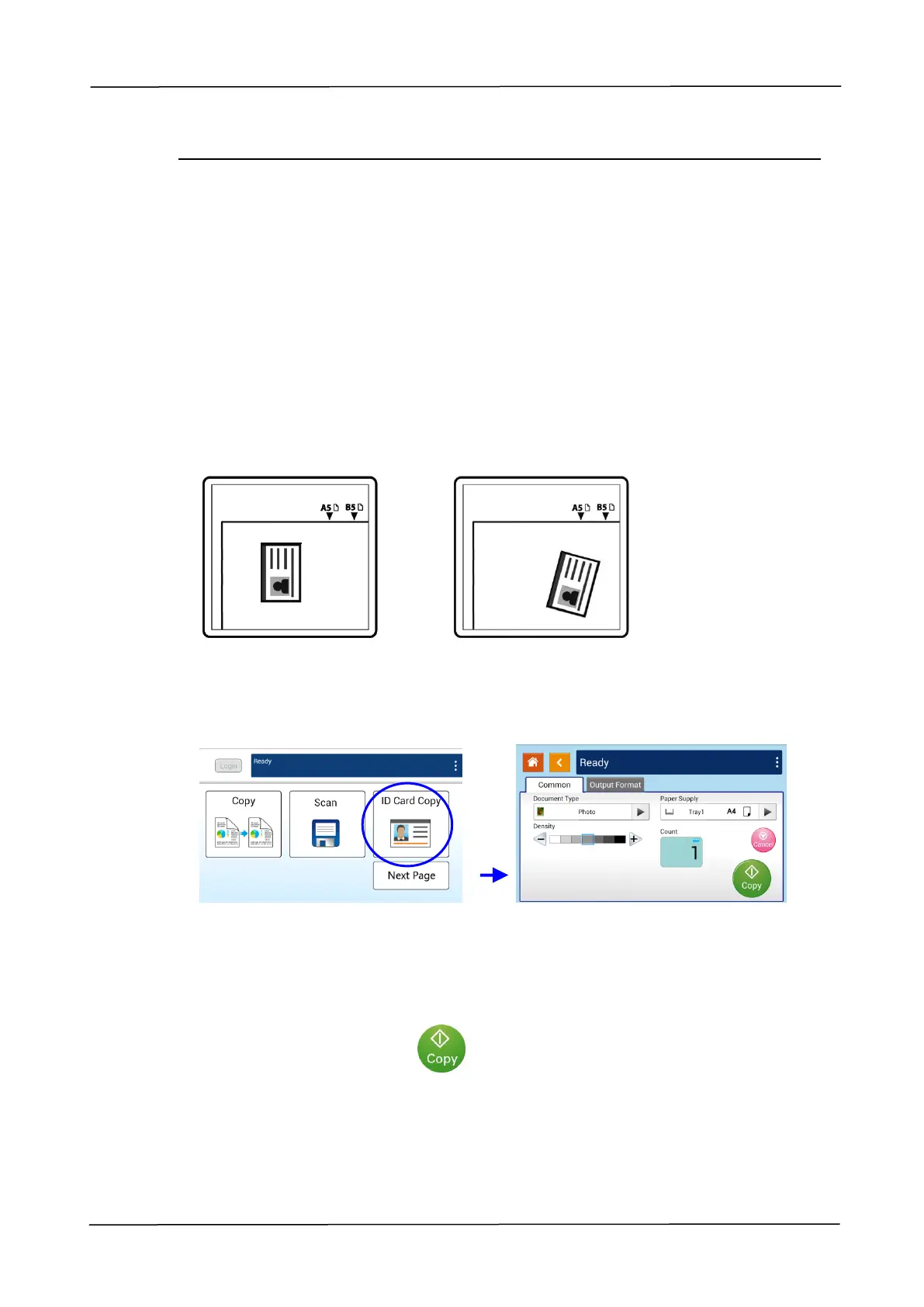
The product is designed with the auto crop and deskew feature which allow you to
easily place your document on the glass platen without the need to carefully align
your document to the starting point. Even though the document is placed with a
slight angle as illustrated in below, the front side and rear side of your ID card can be
copied perfectly on a single sheet of paper.
The Operation Steps:
1. Place one side of your ID card FACE DOWN, aligned with the 「ID Card」mark as
indicated below:
2. Tap the 「ID Card Copy」button on the main screen, and the following 「ID Card
Copy」screen will be displayed.
3. Confirm or change ID Card Copy options.
4. Enter your copy count with the Up /Down key.
5. Tape the 「Copy」button on the touch panel to start copying your card.
6. After the first side scanning is finished, the「Do you wish to continue?」dialog
box will be prompted.



 To Next Page