Customizing the Product’s Configurations by the Touch
Screen
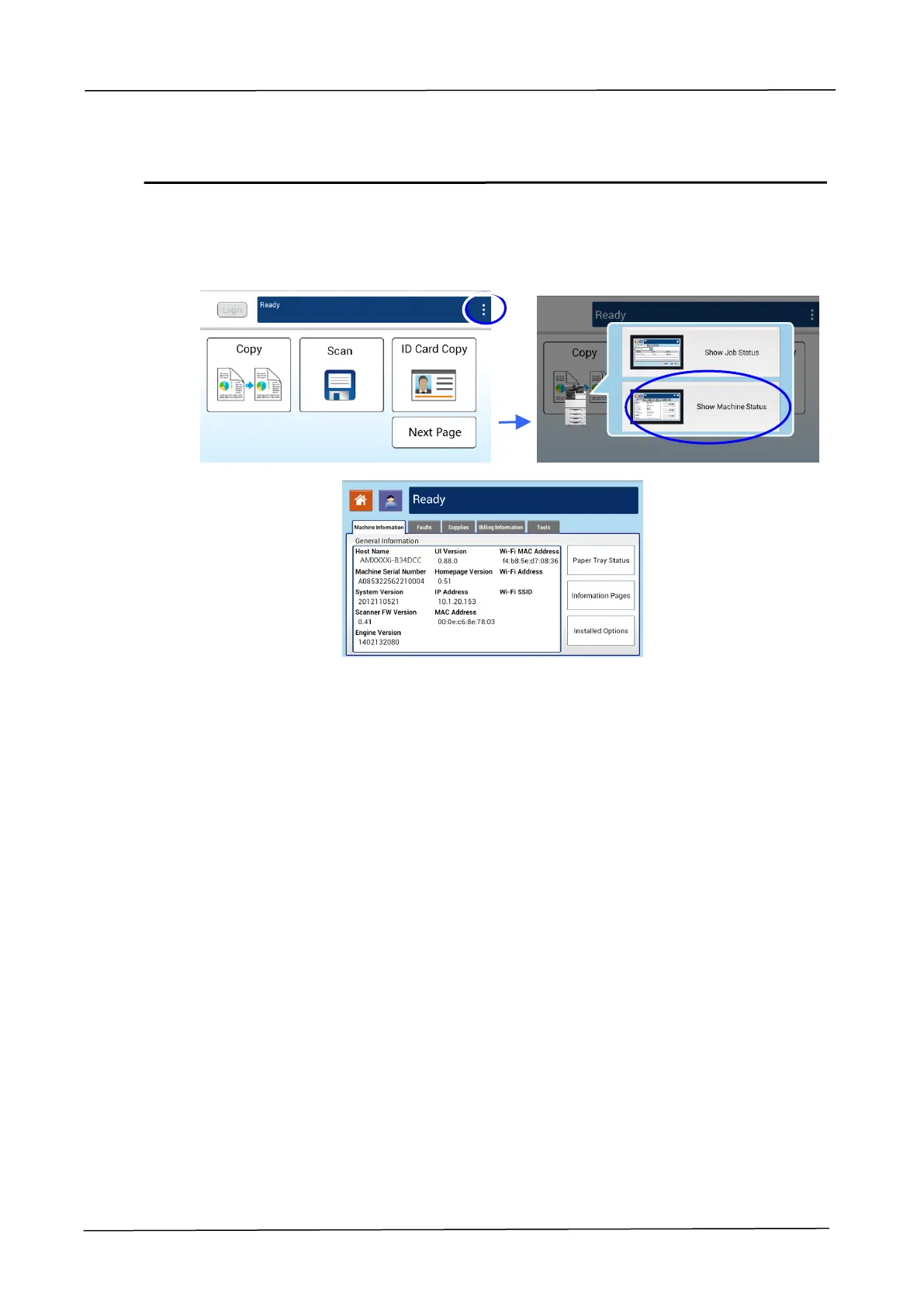
Click [More Settings] and then choose [View Machine Status]. This will prompt the
following [Machine Status] page which contains 5 tabs.
These 5 tabs displaying at the top are: Machine Information, Faults, Supplies, Billing
Information, and Tools. For each respective option of the 5 tabs, refer to the
descriptions of the next few pages.



 To Next Page