User’s Manual
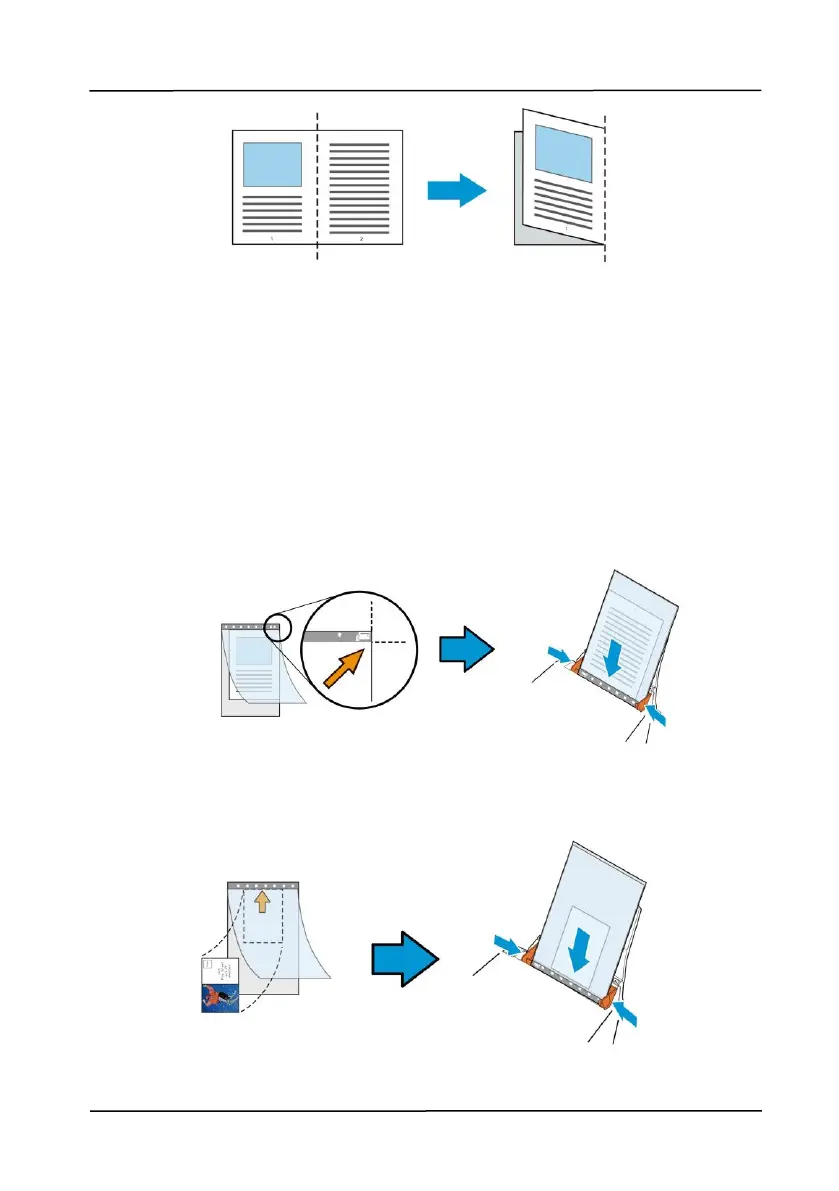
1. Open the Carrier Sheet and place the document
inside.
Align the top of the document to the top of the Carrier
Sheet (the printed area).
For documents larger than A4/letter size, such as A3
Align the top of the document to the top of the Carrier
Sheet (the printed section) and the folded portion to the
right edge of the Carrier Sheet so that the document fits
into the Carrier Sheet at the upper corner.
For non-standard document
Center your document in the Carrier Sheet.



 To Next Page