User’s Manual
3-2
3.1.2 Loading Your Document in the ADF Paper Tray
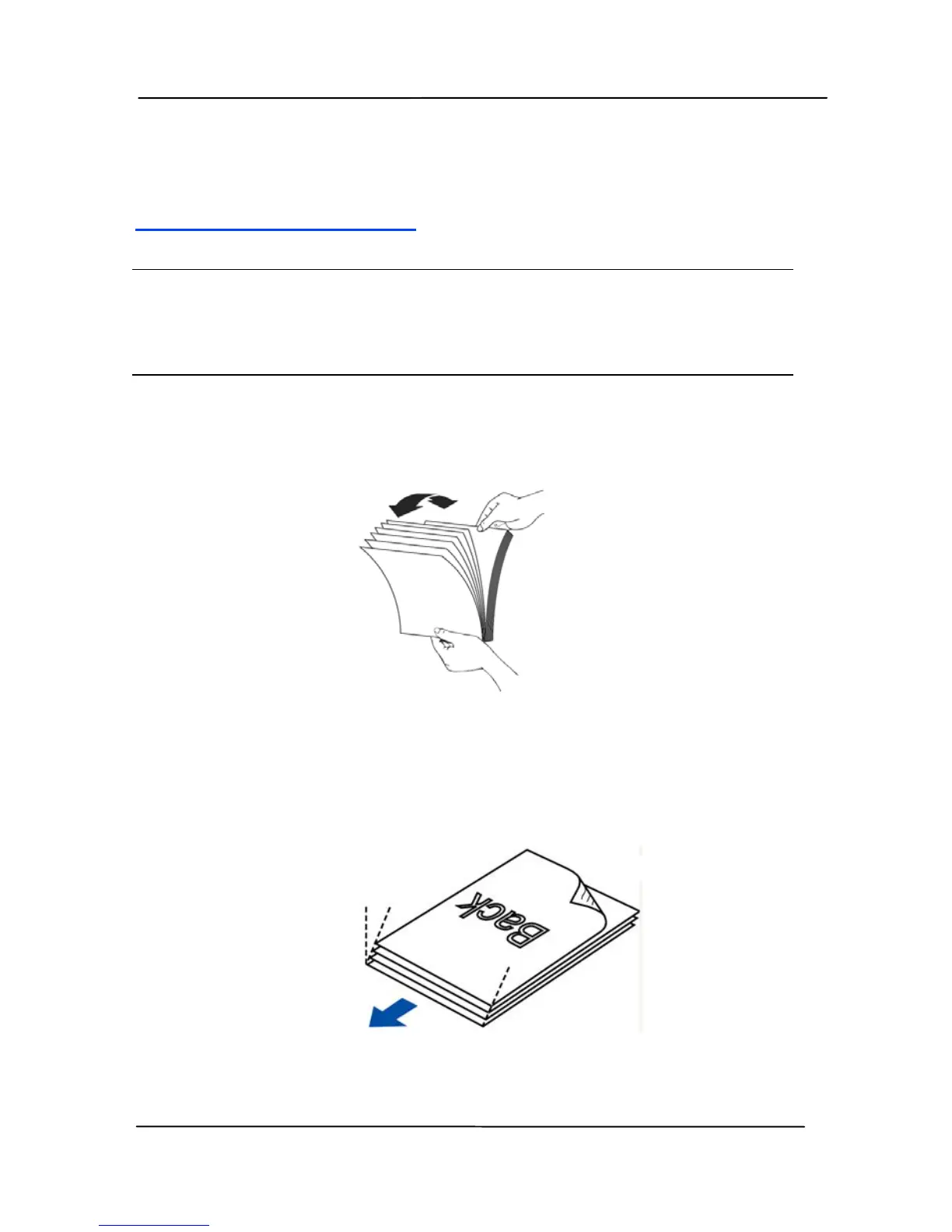
Fanning Your Document
Note:
To avoid occasional multi-feeds or paper jams, please fan
your documents and al
ign the top edges before feeding them
into the scanner.
1. Hold both ends of the documents and fan them a few
times.
2. Rotate the documents by 90 degrees and fan them in the
nts in a step-like pattern
same manner.
3. Align the edges of the docume
(see picture below).
Step-like


 To Next Page