User’s Manual
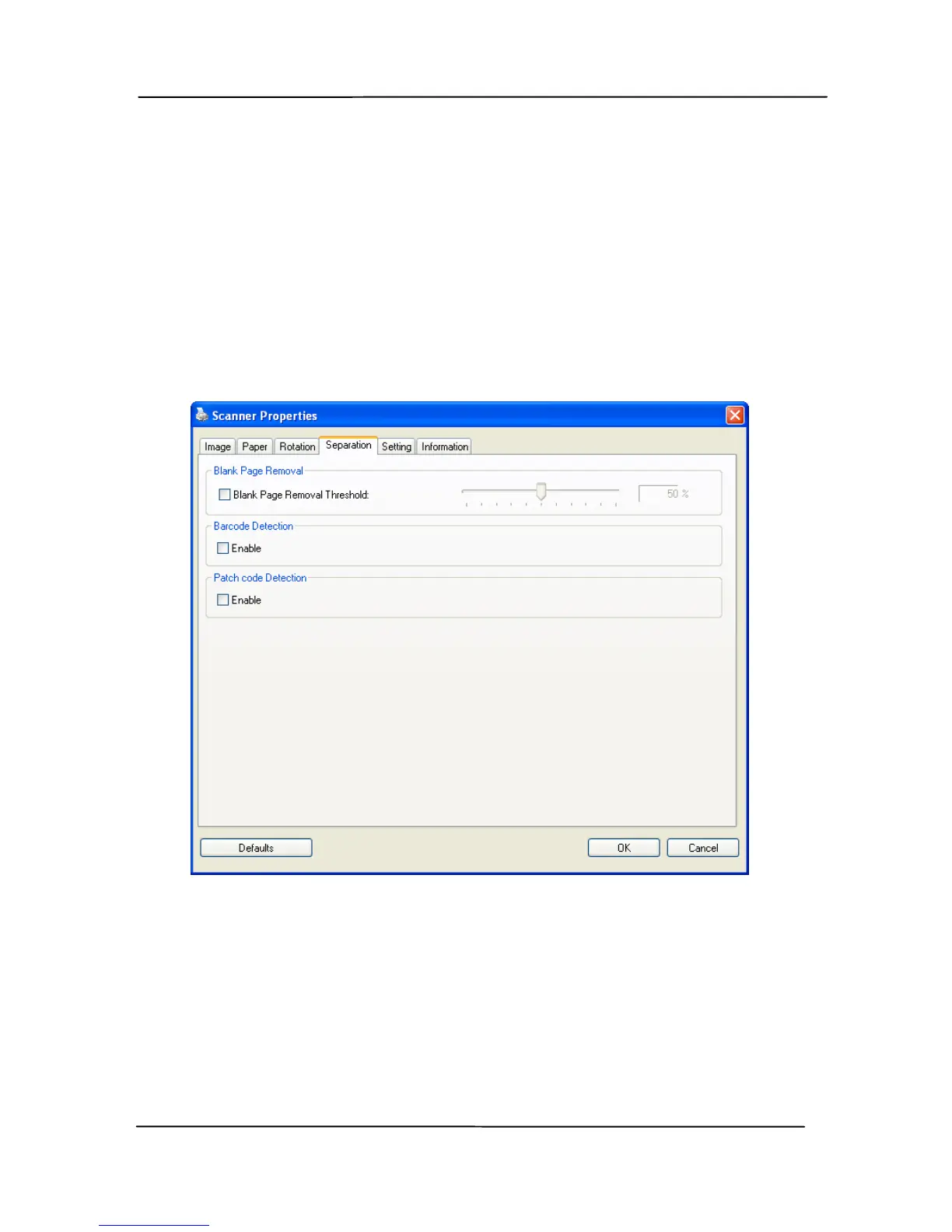
4.11 The Separation Tab
The Separation tab allows you to enable the detection engine to
detect the blank page, barcode, and patch code and then notify
t
he software application which supports document separation to
separate your multi-page documents. Choices: Blank Page
Removal, Barcode Detection, Patch Code Detection.
Blank Page
Removal
Check if you wish to remove the blank page
and move the slider to the left or right to your
desired threshold.
When the bar code has been detected successfully,a file
[avbarcode.ini] will be created and stored in the following path:
4-68



 To Next Page