7.4.6 The Security Page
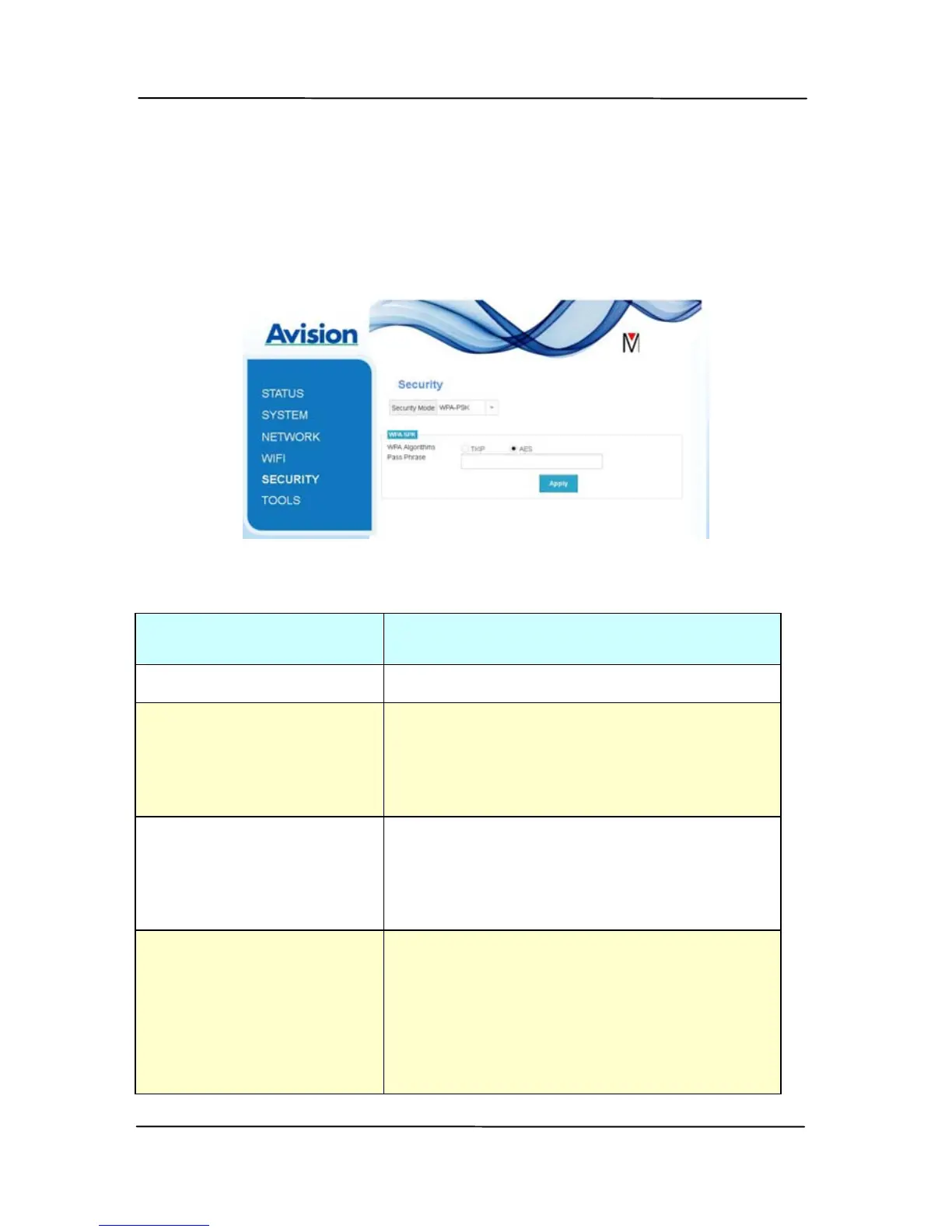
The [Security] page provi
des the following authentication mode
(security protocol) Choice: Disable, WEP, WPA-PSK, WPA2-PSK.
Choice for the encryption protocols includes TKIP, AES.
Authentication
(Security) method
Encryption method
Disable None
WEP WEP
Up to four WEP key can be set.
Type your WEP in the field and
then click [Apply] to complete.
WPA-PSK Choice: TKIP/AES
Type your desired pass phrase in
the [Pass Phrase] field and then
click [Apply] to complete.
WPA2-PSK Choice: TKIP/AES
(Pass Phrase: 12345678)
You may change your [Pass
Phrase] by entering the new pass
phrase in the field and then click
[Apply] to complete.


 To Next Page