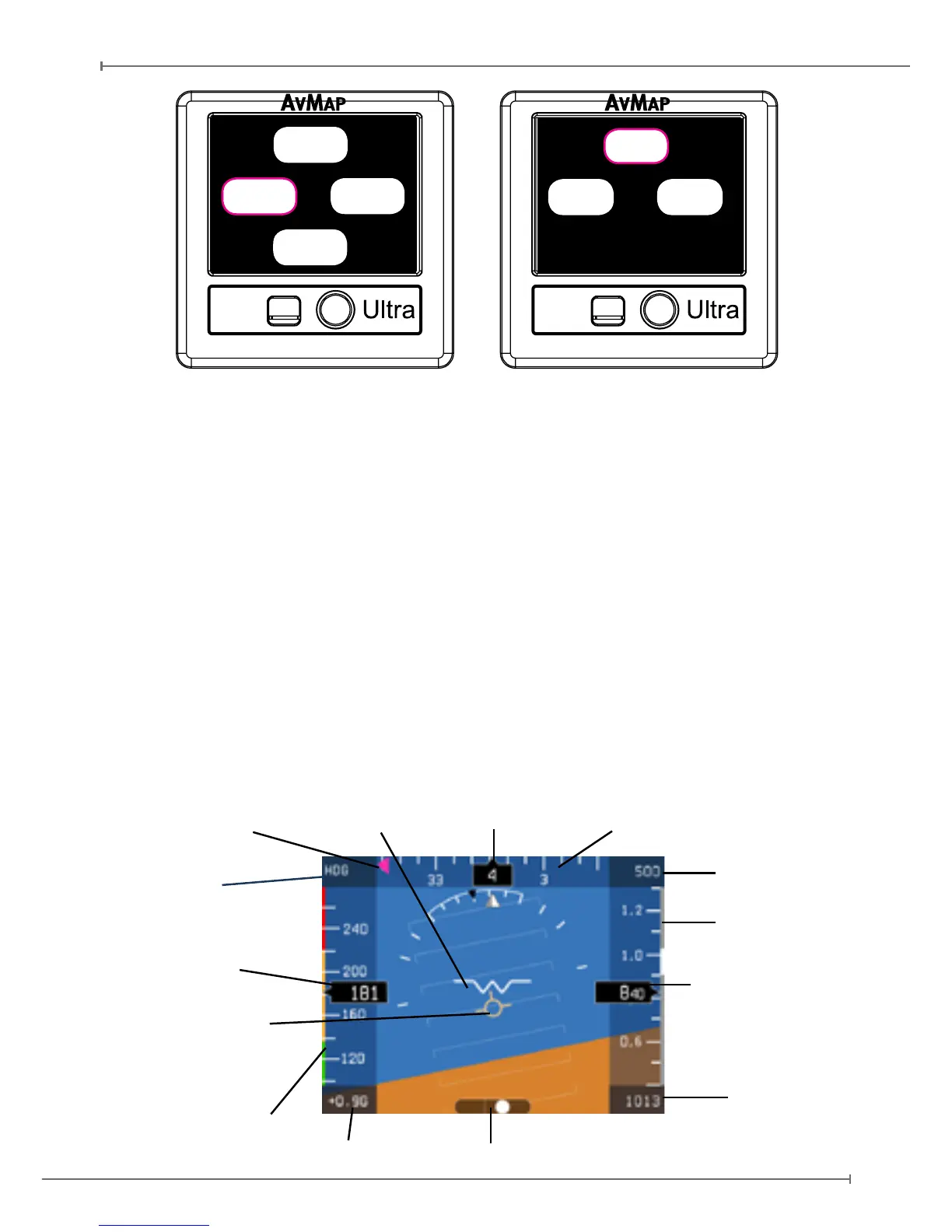
Figure 9
CALIBRATE
HSI
QNH
Setup Menu PFD Menu
SETUP
DATABASE
BRT
NMEA-OUT
While in PFD mode, pushing once the rotation knob an option menu window appears on
the display. Rotate the knob to select a menu and conrm by pushing the rotation knob.
The option menu window disappears if the rotation knob has not been operative for
more than 5 seconds.
While in PFD mode, you can enter the HSI mode by pushing the rotation knob, select
HSI rotating the knob and confirm by pushing again the rotation knob. To go back to the
PFD display mode push the rotation knob, select PFD and confirm by pushing again
the rotation knob.
To enter the SETUP mode from either the PFD or HSI mode keep the rotation knob
pressed for 5 seconds.
4.2 PFD mode
The PFD shows critical flight information like attitude, airspeed, altitude, as well as
other less critical flight variables like turn coordination, heading, load factor. A detailed
explanation of each instrument is given in Figure 10.
Figure 10
Air Speed
Indicator
Air Speed
Ranges
Trajectory
Vector
Altimeter
Vertical Speed
Kollsman
Window
(hPa or inHg)
Heading
Aircraft Compass
Vertical Speed bar
Heading Bug
Side Slip Indicator
HDG (Heading)
or COG (Course
over ground)
G-Meter


 To Next Page