- 45 -
Key num. #
1 (1 . . 8)
Operation Type:
Arm. ON Part.
Partition #
1 (1 . . 9 )
BIP
ENT
Emerg. Key
NO
1 2
3 4
5
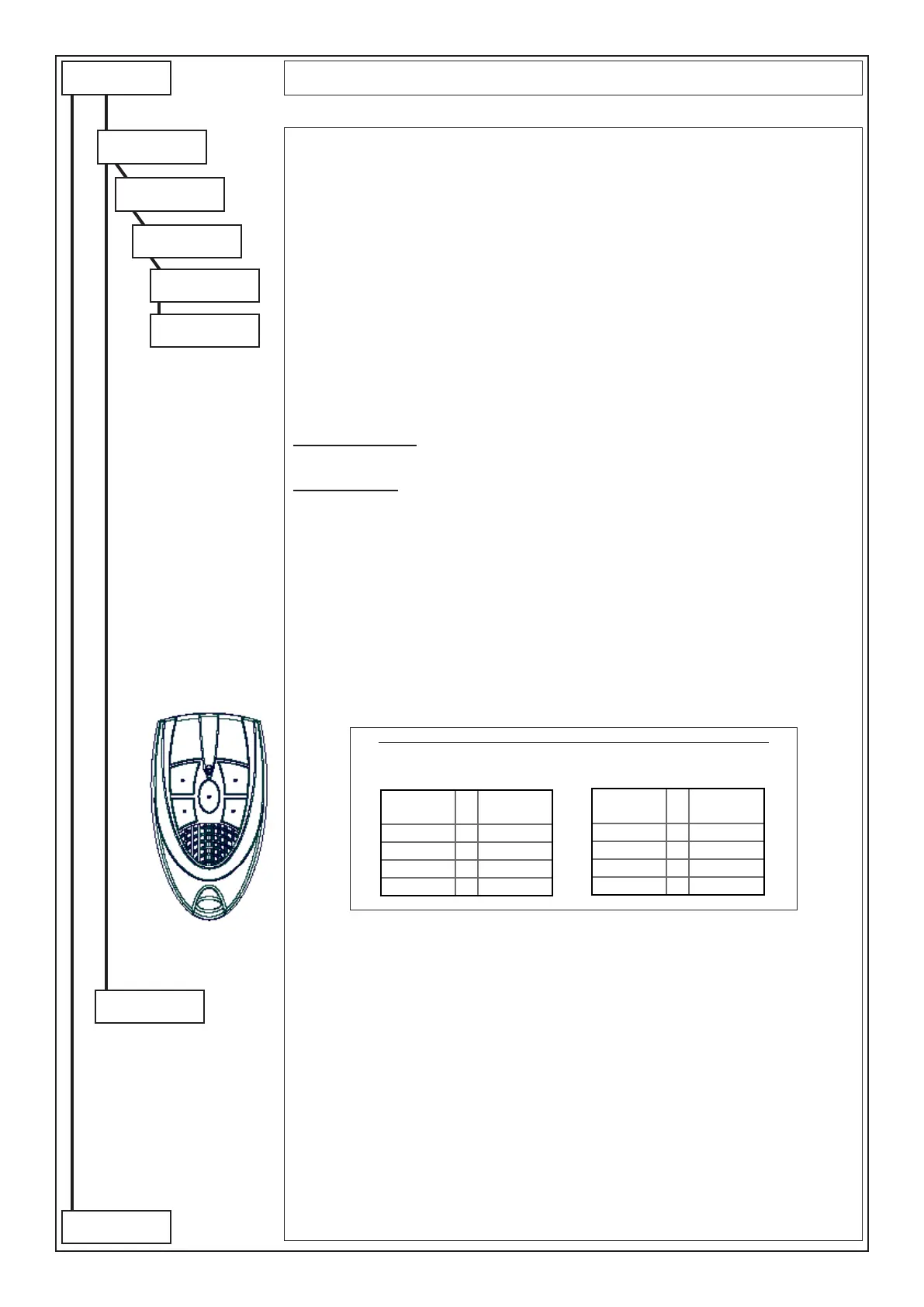
BEEP: In this menu, it is possible to assign a specic function to each channel of the remote control.
- Key number #: select the number between 1 and 8 of the channel to be programmed
- None: no function associated
- Activates/Deactivates OC?: the key is associated to the activation/deactivation of the O.C. output.
It must be programmed as “Cat. User”.
- Switches OC: varies the state of the O.C. output; activates it if disarmed, deactivates it if armed. It
must be programmed as “Cat. User”.
- Arming ON /HOME /AREA /PERI /Disarming - SECT: ?: the key is associated to the arming/disar-
ming of one or more Partitions; if Partition 65 (sixty-ve) is set, the command works on all Partitions
associated to the user
- Despatch: Panic/Doctor/Fire: the key is associated to the panic/doctor/re signal
- Macro: the key is associated to the arming MACRO function which number is herein programmed
Emergency Channel:
Note: if the emergency option is enabled (YES), the emergency code function will also be activated
simultaneously with the operation associated with the button.
Keys functioning:
Keys from 1 to 4 directly activate the function to which they are associated, the second group of
keys is activated with the simultaneous pressing of key 5 (the middle one) and subsequently of one of
the other keys.
Press (CLR) to vary
Press () or () to move
Enter the key to be set
Press (ENT) to conrm
PROGRAMMING OF THE CHANNELS ON THE REMOTE CONTROL
Select the Key Function from 1 to 5+4 according to the
conversion table “Channels - Keys”
Channels
Keys to
press
5 • 5+1
6 • 5+2
7 • 5+3
8 • 5+4
Channels
Keys to
press
1 • 1
2 • 2
3 • 3
4 • 4
User Proles
Label
Label: it is possible to associate a description of 16 alphanumerical digits for every User Prole;
Press (CLR) to vary
Writing keys::
(1)abc1 (2)def2 (3)ghi3 (4)jkl4 (5)mno5 (6)pqr6 (7)stu7 (8)vwx8 (9)yz. (0)_’0
Press arrows () and () to position the cursor
Press () or () to move
Press (ENT) to conrm
Press (ESC) to go back
to following
page
from previus
page



 To Next Page