Need help?
Do you have a question about the AVS 3010+ and is the answer not in the manual?
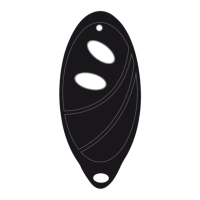
Remote batteries are CR1616 x 2. Replacements available from avscarsecurity.com or dealers.
Replace batteries if range decreases or remote LED flashes when button pressed.
Remotes are sensitive and easily damaged if dropped. Handle with care.
Steps to arm the alarm: press button, indicators flash, doors lock, LED lights up.
When armed, opening doors/bonnet/boot triggers siren and flashing indicators.
The AVS 3010+ can be triggered by the shock sensor.
Siren chirps indicate open zones; table maps chirps to specific zones.
Steps to disarm the alarm: press button, indicators flash, doors unlock, LED goes out.
Disarm and turn ignition ON to view dash LED flashes indicating the zone.
Two immobiliser cuts prevent starting the car unless the alarm is disarmed.
Activate panic mode by pressing the button on the remote with ignition off.
Allows overriding the system if remotes are lost or batteries are flat.
Step-by-step guide to disarming the system using the PIN code via ignition cycles.
Press the lock button on the remote to lock the doors.
Press the unlock button on the remote to unlock the doors.
Dual stage shock sensor detects light impacts (chirps) and heavy impacts (full alarm).
Arm alarm, then press button again within 2 seconds to disable the shock sensor.
Siren has own battery; turn off with key switch before disconnecting vehicle battery.
Alarm can lock/unlock doors when system is armed or disarmed.
Doors lock when ignition is on and brake pedal is touched twice.
Press the boot release button on the remote with ignition off to unlock the boot.
System can be programmed for silent arming and disarming, with indicator flashes.
System re-arms and re-locks if no door is opened within 30 seconds of disarming.
Detects sudden air pressure changes from intrusions like opened doors.
Protects against tilting, useful for mag wheels and tow alerts.
Detects the specific sound frequency of breaking glass.
Provides real-time vehicle tracking and remote control via GPS.
Detects body mass, ideal for convertibles and detecting intruders.
Detects body heat and movement, suitable for vans and trucks.
Triggers if a ute canopy is lifted; magnetic reed switch recommended.
An extremely high-pitched mini siren installed inside the vehicle cabin.
Triggers on heavy impact; AVS 3010+ includes a dual stage sensor.
Measures air pressure and movement for enhanced interior vehicle protection.
New remotes and cases can be bought from avscarsecurity.com or AVS dealers.
Indicates flat batteries; replacements are available online and from dealers.
Start the car using the emergency disarm/PIN code override feature.
Indicates an open door/bonnet/boot. Correct the issue before re-arming.
System may re-arm if car not entered; feature can be disabled by installer.
Likely a flat car battery. System works, but car lacks power to start.
Alarm draws minimal current; good batteries should last weeks unattended.
Fields to record installation date, installer, product, and accessories.
Form to record owner's name, address, and vehicle make/model/rego.
Covers defects, excludes misuse/improper installation, and notes consumer rights.
 General
| Remote Start | Yes |
|---|---|
| Keyless Entry | Yes |
| Remote Paging | Yes |
| Alarm Type | Audible and Visual |
| Remote Range | Up to 3000 feet |
| Engine Immobilizer | Yes |
| Shock Sensor | Yes |
| LCD Remote | Yes |
| Panic Mode | Yes |
| Valet Mode | Yes |
| Battery Backup | Yes |
| System Type | 2-Way |

 To Next Page