EasyManua.ls Logo

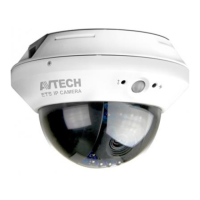
Avtech AVM328ZBP - User Manual

Avtech AVM328ZBP
7 pages
Print Icon
To Next Page IconTo Next Page
Loading...
If you face any problem during setting up your camera, please do not hesitate to email us at support@epicamera.com .
Our technical support will get back to you as soon as we can. Thanks.
AVTech
AVTech
AVTech
AVTech IP
IP
IP
IP Camera
Camera
Camera
Camera -
-
-
- AVM328ZBP
AVM328ZBP
AVM328ZBP
AVM328ZBP
1. Please install IPScan.exe and use it to search for the IP
IP
IP
IP address
address
address
address of your camera.
2. Click the Configure
Configure
Configure
Configure button then set the camera IP address and change User
User
User
User
Name
Name
Name
Name and Password
Password
Password
Password .
Question and Answer IconNeed help?

Do you have a question about the Avtech AVM328ZBP and is the answer not in the manual?

Avtech AVM328ZBP Specifications

General IconGeneral
BrandAvtech
ModelAVM328ZBP
CategoryIP Camera
LanguageEnglish

Related product manuals