If you face any problem during setting up your camera, please do not hesitate to email us at support@epicamera.com .
Our technical support will get back to you as soon as we can. Thanks.
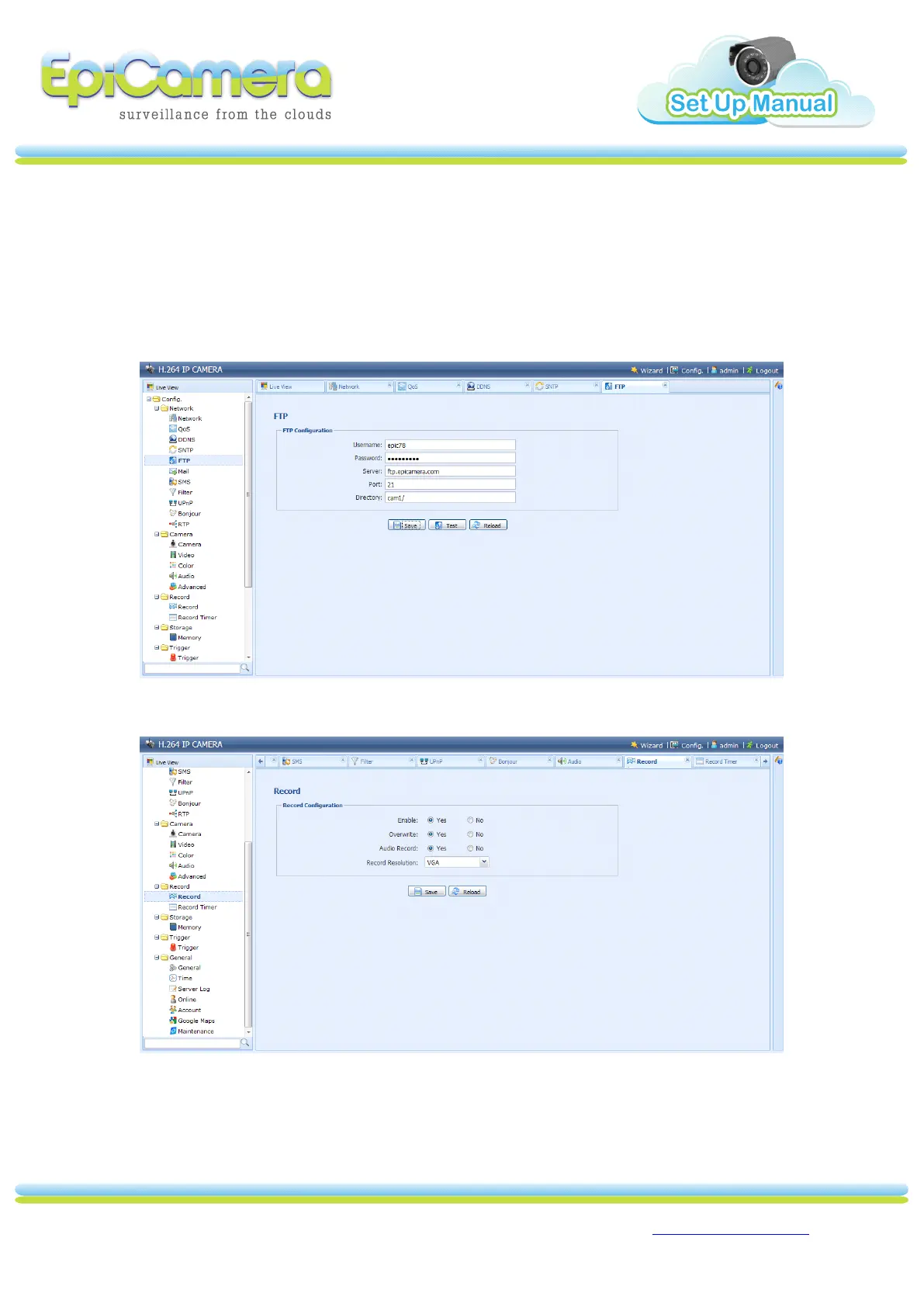
6. Please fill up EpiCamera FTP
FTP
FTP
FTP Setting
Setting
Setting
Setting
(https://www.epicamera.com/user_camera_setting) .
a) User Name: Your FTP login in EpiCamera FTP Setting
b) Password: Your FTP password in EpiCamera FTP Setting
c) Server: ftp.epicamera.com
d) Port: 21
e) Directory: Your camera folder created at
https://www.epicamera.com/user_camera
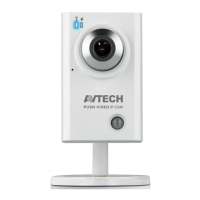
7. Please enable the R ecord
ecord
ecord
ecord Configuration
Configuration
Configuration
Configuration .


 To Next Page