Need help?
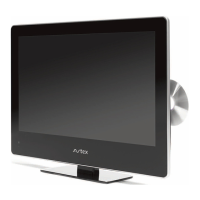
Do you have a question about the Avtex L185DRS and is the answer not in the manual?
Essential safety information to ensure user and others' safety during operation.
Crucial safety warnings and precautions for operating the TV.
Details about the mains supply and power cord safety.
Details the buttons and functions of the TV's remote control.
Instructions for connecting the TV to an aerial for signal reception.
Guides on connecting devices via HDMI and VGA cables.
Explains how to operate the remote control effectively and notes on usage.
Procedure for turning the TV on and off using the power and standby buttons.
Guide for initial channel tuning for analogue and digital TV.
Covers source selection and basic TV navigation.
Accessing and navigating the TV's setup menus.
Adjusting picture quality parameters like brightness and contrast.
Adjusting sound modes, treble, bass, and balance.
Managing channels, manual search, and sound systems.
Editing channels: delete, skip, rename, move, lock, or add to favourites.
Editing analogue channels using coloured buttons.
Editing digital channels using coloured buttons.
General settings for digital TV, including lock, language, and time zone.
Setting up memory devices for recording DTV programs.
Formatting the disk for PVR file system creation.
Using the TV as a PC monitor via VGA, including picture and sound adjustments.
Performing a channel scan for Free To Air satellite channels.
Features for managing channels: move, skip, lock, delete.
Setting OSD language, subtitle language, and audio language.
Restricting programmes based on viewer age with password protection.
Adding new transponders and channels to the satellite TV list.
Resetting tuning settings to original condition and deleting lists.
Basic steps to play discs, including eject, stop, and standby.
Setting parental control ratings for restricted content.
Troubleshooting steps for no picture or sound issues.
Steps to resolve issues when there is no picture displayed.
Steps to resolve issues when there is no sound output.
Diagnosing and resolving remote control issues.
 General
| Screen Size | 18.5 inches |
|---|---|
| Resolution | 1366 x 768 |
| Display Type | LED |
| DVD Player | Yes |
| HDMI Ports | 1 |
| USB Ports | 1 |
| Power Consumption | 30 W |
| Tuner | Digital |
| Built-in Freeview | Yes |
| Power | 12V |


 To Next Page