Need help?
Do you have a question about the Avtex L168DRS and is the answer not in the manual?
Read safety precautions before operating the product.
Lists the items included with the LED TV/DVD.
Details electrical specifications and safety notes for mains supply.
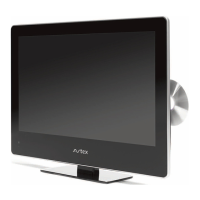
Identifies external parts and buttons on the front, side, and top of the TV.
Details the connections and ports located on the rear panel of the TV.
Explains the function of each button on the remote control.
Instructions on how to connect an aerial for TV reception.
Guides on connecting other devices like DVD players or game consoles.
Recommends using an HDMI lead for the best picture quality.
Step-by-step guide to insert batteries into the remote control.
Guidelines for operating the remote control effectively, including range and angle.
Instructions for powering the TV on.
Instructions for powering the TV off or to standby.
Steps for scanning and tuning digital television channels.
Guide for scanning and tuning satellite TV channels.
Modifying advanced settings for satellite TV reception.
Procedure to add new satellite services or channels.
Common issues and solutions for satellite setup problems.
Selects the input source for the TV.
Selects television channels using buttons or numeric input.
Adjusts audio volume and silences the TV's sound.
Selects TV channels and switches between previous channels.
Displays programme information for the current channel.
Selects subtitle language for channels that support it.
Changes audio language and sound track for digital channels.
Adjusts picture appearance like brightness, contrast, and colour.
Adjusts sound settings like treble, bass, and balance.
Enables or disables audio description for DTV.
Toggles external speaker output for headphones.
Menu for adjusting channels, frequency, country, and search settings.
Restricts programme access based on viewer age ratings.
Allows changing the system lock password.
Prevents access to certain TV features, requires a password.
Adjusts OSD language, aspect ratio, and noise reduction.
Sets sleep timer, OSD display time, and auto sleep.
Displays text-based information services on the TV screen.
Configures HDMI input settings and checks signal status.
Instructions for using audio input with HDMI sources.
Manages and formats memory devices for PVR recording.
Verifies the file system status of the connected storage device.
Process for formatting a disk for PVR recording, warning about data loss.
Lists the types of discs the DVD player supports.
Covers disc playback, colour system selection, pause/playback, volume, mute, and DVD menus.
Explains PBC, chapter selection, language, direct play, zoom, and repeat functions.
Instructions for playing JPEG image files from a USB device.
Additional operations for JPEG files like zoom and page navigation.
Configures TV display, screen saver, downmix, OSD language, TV type, and PBC.
Manages audio/subtitle languages, parental ratings, and passwords.
Connects and uses USB storage devices for media playback and PVR.
Basic file operations and notes for USB playback and recording.
Solutions for problems related to no picture, no sound, or poor sound quality.
Addresses issues with color, black and white display, or spots on screen.
Troubleshooting steps for unresponsive controls or remote issues.
Guidance on proper disposal of the product as electronic waste.
Details the 3-year parts and labour guarantee terms.
Contact details and address of the manufacturer.
Details panel type, size, pixel pitch, brightness, and display modes.
Lists inputs, outputs, DVD formats, power adapter, and consumption.
Covers operating conditions, DTV tuner, dimensions, and weight.
 General
| Screen Size | 16 inches |
|---|---|
| Resolution | 1366 x 768 |
| DVD Player | Yes |
| HDMI Ports | 2 |
| USB Ports | 1 |
| Weight | 3.5 kg |
| Power Consumption | 18W |
| Power | 12V/24V DC & 240V AC |


 To Next Page