are
on the USB there may be a long pause.
become unresponsive to
down TV and remove USB and switch on the TV.
Do not remove the USB whilst it is reading/playing.
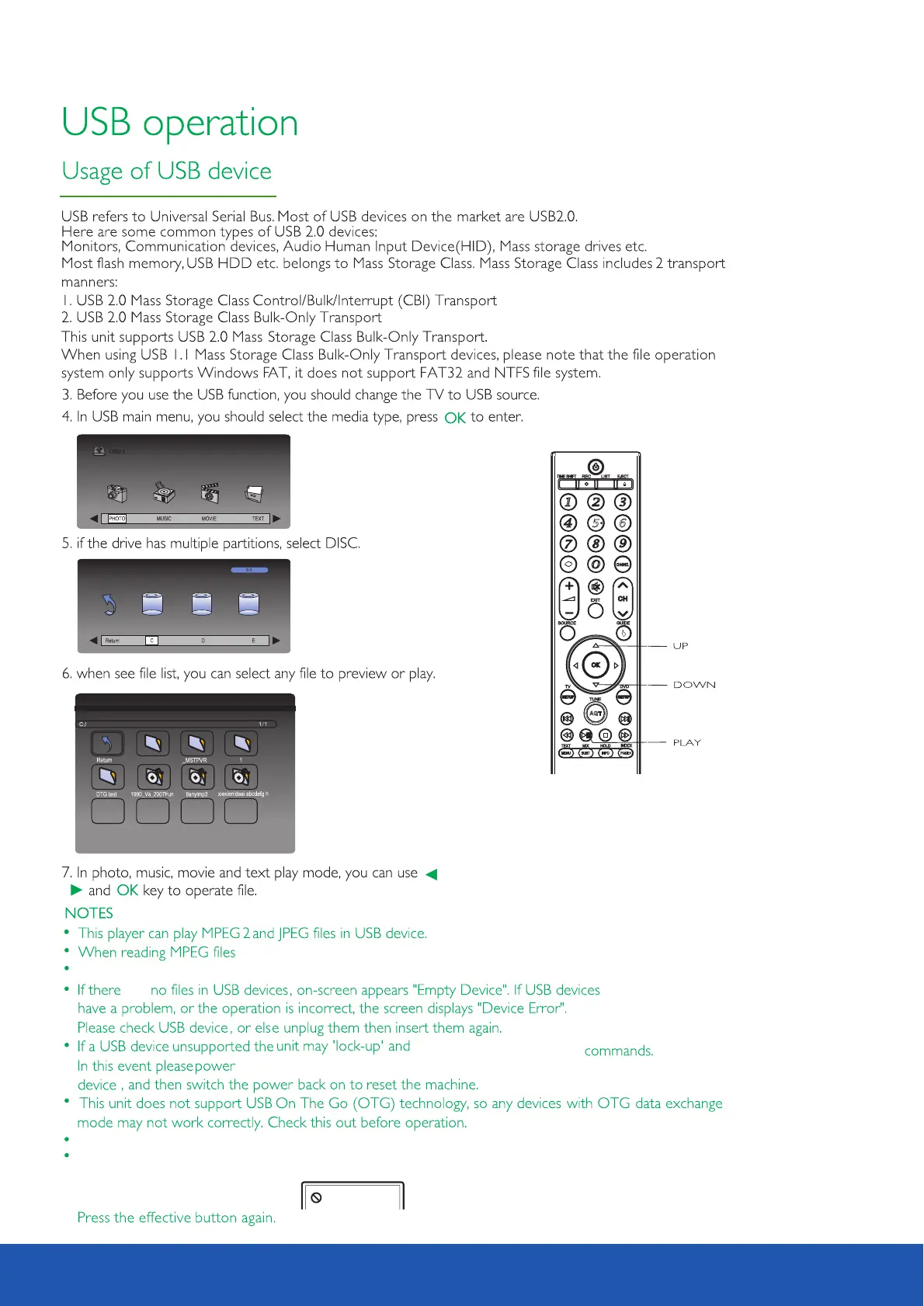
The symbol shown below means an invalid operation has been attempted.
In movie playback mode if wanted image is too small press play button to fill whole screen.
33
16 inch LED TV/DVD user guide



 To Next Page