
 Need help?
Do you have a question about the Avtex L185DR and is the answer not in the manual?
Guidance on ensuring safety and the safety of others while operating the product.
Crucial safety warnings and precautions to be observed before operating the TV.
Details regarding the mains supply and power cord safety precautions.
Details the purpose and operation of each button on the remote control.
Process for tuning analogue channels on the TV.
Automatically scanning for available TV channels.
General settings for digital TV, including audio, subtitle, and time zone.
Formatting and managing USB/HDD for PVR recording.
Steps to format a USB or hard disk for PVR file system creation.
How to start, stop, and manage recorded programmes.
Accessing and navigating teletext information pages.
Accessing and navigating Freeview digital text services.
Adjusting picture and sound settings when using VGA input.
Managing channels: deleting, skipping, renaming, and adding to favourites.
Preventing access to features and locking the system with a password.
Guide to initial TV setup and automatic channel scanning for digital TV.
Procedure for changing the default system password.
Locking the entire TV system for security.
Blocking specific programmes and channels.
Restricting programmes based on viewer age.
Adjusting TV picture parameters like brightness, contrast, and colour.
Selecting preset sound levels (User, Music, Film, News).
Manually searching and tuning TV channels.
Navigating programme guides using coloured buttons.
Viewing and managing scheduled recordings.
Instructions for inserting, playing, stopping, and ejecting discs.
Using the Playback Control (PBC) function for SVCD/VCD discs.
Choosing audio languages and channels for DVD/SVCD discs.
Skipping introductory content to play DVD movies directly.
Accessing and navigating the menu of a DVD disc.
Setting parental control ratings to restrict content viewing.
Setting a four-digit password for parental control and settings.
Steps to resolve issues with no picture or sound on the TV.
Troubleshooting steps for when the TV screen is blank.
Steps to resolve issues related to the TV having no audio output.
Troubleshooting steps for when TV controls or remote are unresponsive.
Feature providing programme schedules and information.
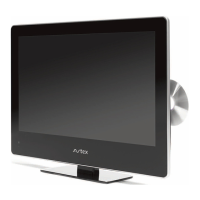
Integrated DVD player functionality within the TV unit.
Capability to record TV programmes using a connected storage device.
 General
| Screen Size | 18.5 inches |
|---|---|
| Resolution | 1366 x 768 |
| Display Type | LED |
| DVD Player | Yes |
| HDMI Ports | 2 |
| USB Ports | 1 |
| Power Consumption | 30 W |
| Built-in Freeview | Yes |

 To Next Page
