Back view
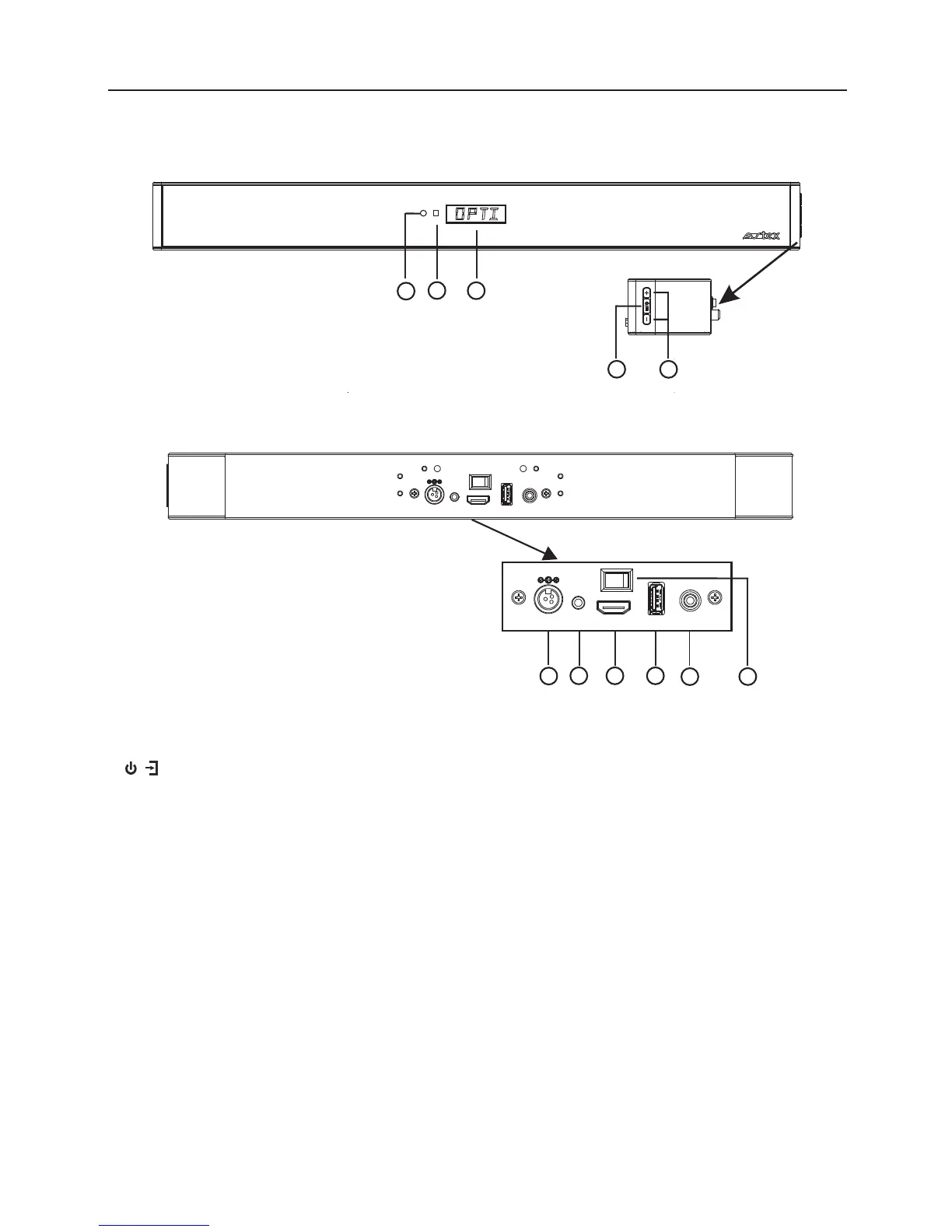
Product Overview
1.
2.
3. LED Display
4.
Power indicator(Standby & on)
Remote Control sensor
• Press and hold for power on/off.
• Press to change source.
5.VOL+/ VOL-
• Press to increase/decrease the
volume level.
/
Front view
6. DC IN socket
7. AUX IN socket
8.
9. USB
• To connect to a USB storage device.
• To recharge for mobile devices.
10. COAXIAL socket
11. Power switch
HDMI ARC socket
1
2
3
6
7
8 9
10
6
4
5
12V/2 4V AUX IN HD MI AR C USB C OA XIA L
12V/24V AU X IN HDMI AR C USB COAXIAL
11


 To Next Page
 Loading...