23
4
5
6
7
89
1
0
6
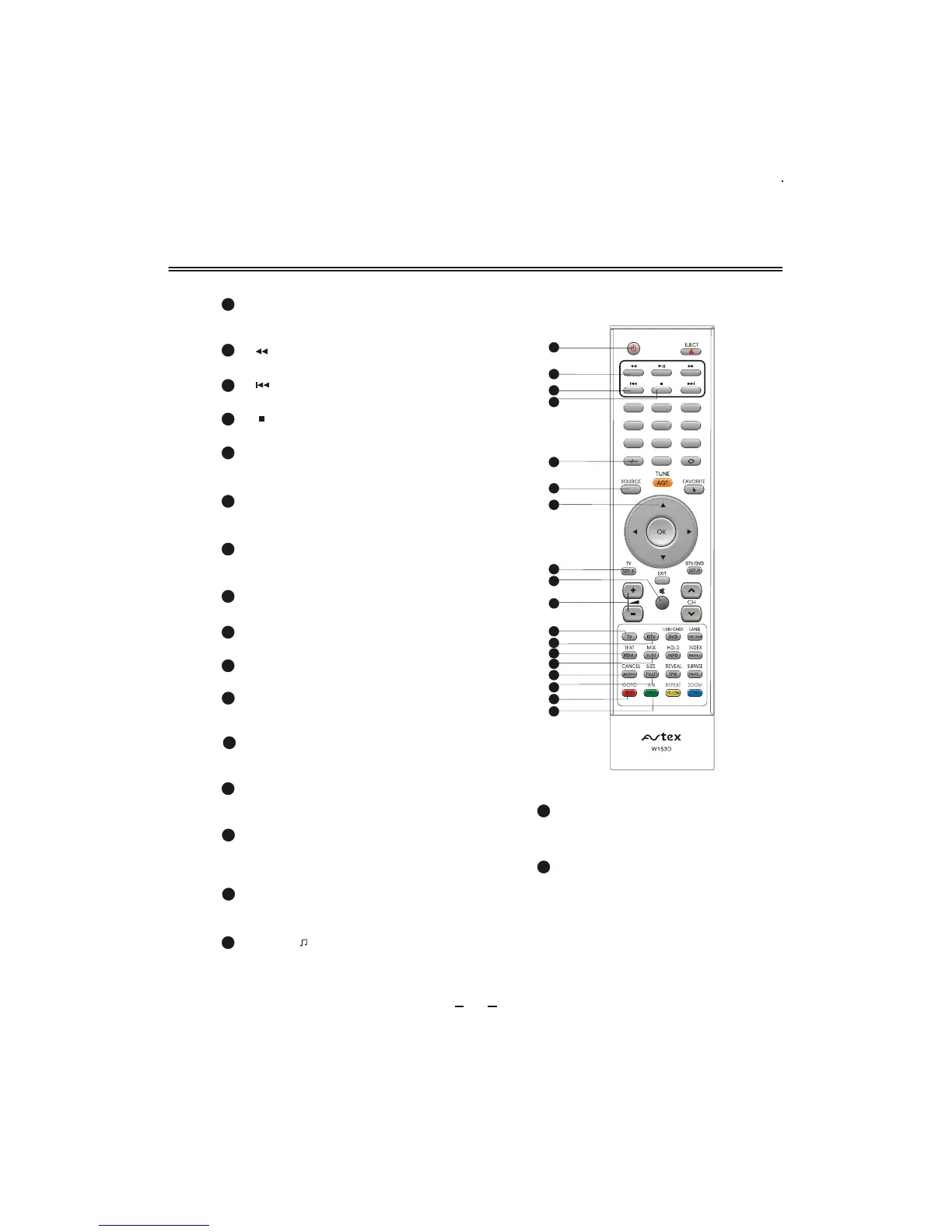
REMOTE CONTROLLER
SOURCE
To select input source: ANALOGUE TV, DIGITAL
TV, DVD, AV, SCART, YP
BPR and VGA.
27
UP/DOWN cursor
To select upward/downward in the menu or
change the channel in TV/DTV .
28
To display TV image and teletext simultane-
ously;Selects the subtitle language in DVD
/DTV.
MIX/SUBT
35
Volume +/-
31
To increase or decrease sound volume.
To play from a certain time point
in DVD ; Teletext RED button in
TV/DTV.
GOTO/RED
38
23
22
24
25
27
28
29
26
TEXT/MENU
34
To enter or exit from teletext in TV/DTV ;
To display DVD Root menu in DVD .
A-B/GREEN
To segment repeat in DVD;
Teletext Green button in TV/DTV.
39
TV SETUP
To display system menu.
29
38
31
30
32
STANDBY
22
To switch between standby mode and power-
on mode.
39
37
36
34
35
33
[ ] button
To fast backward playback in DVD.
23
26
TWO-DIGIT NUMBER BUTTON
To switch between one or two-digit program
number.
24
[ ] button
To select the previous chapter or track in DVD.
MUTE
Sound mute switch.
30
DTV
33
To directly switch to DTV source at other
sources.
CANCEL/AUDIO
To cancel teletext in TV; To change the audio
language and sound track in DTV.
36
25
[ ] button
To stop playing in DVD .
32
TV
To directly switch to TV source at other
sources.
SIZE/TV/
To magnify teletext page; To switch between
TV and Radio modes in DTV .
37



 To Next Page