32
DVD OPERATION
The A-B repeat function may be invalid to some discs. In menu playback mode, the segment
can only be selected in the track.
3. Press [A-B] button for the third time.
The unit restores to normal playback.
NOTE
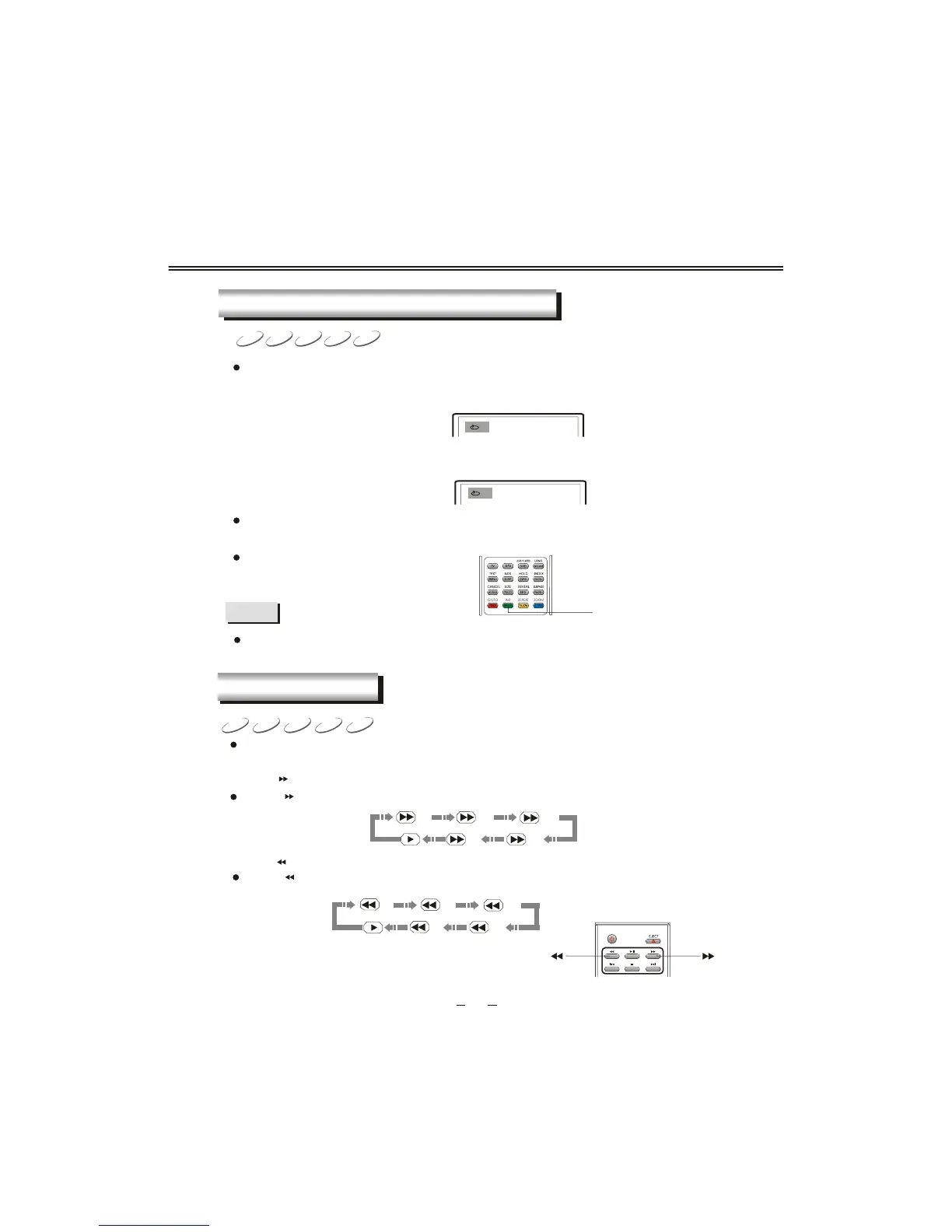
When playing disc, you may press [A-B] button to play your desired segment content repeatedly.
1. In normal playback, press [A-B] button at the beginning point (point A) of the segment that
you desire to play repeatedly.
TV screen displays:
A
2. In normal playback, press [A-B] button at the ending point (point B) of the segment that
you desire to play repeatedly.
TV screen displays:
AB
The unit automatically returns to point A and begins to play the selected segment (A-B).
CDVCDSVCDDVD
MPEG4
REPEAT PLAYBACK OF SELECTED SEGMENT
A-B
1. Press [ ] button and the unit begins fast forward playback.
Press [ ] button each time and the disc playback speed switches in the following sequence
circularly:
2. Press [ ] button and the unit begins fast backward playback.
Press [ ] button each time and the disc playback speed switches in the following sequence
circularly:
When playing discs, you may select fast forward or fast backward playback to search a certain
point.
CDVCDSVCDDVD
MPEG4
2X
16X32X
8X
4X
2X
16X32X
8X
4X
FAST PLAYBACK



 To Next Page