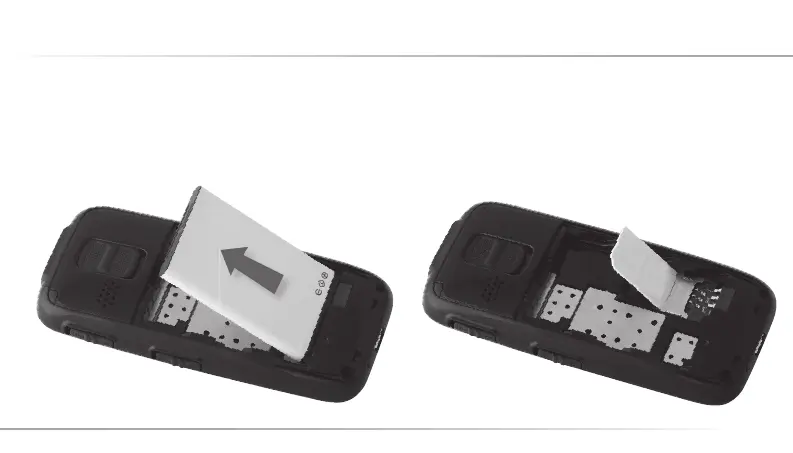
2. The battery could easily be removed by pressing
the edge of it and making a lift with your fi ngers.
3. Make sure the SIM card’s metal contacts poin-
ting downward and gap upward, and then slide
the SIM card towards the direction pointed by
the battery slot arrow until it is properly placed in
the SIM card slot.
4. Inserting the Battery and the SIM Card
11
C12_Betriebsanleitung_ENG_end.indd 11 29.10.10 01:35



 To Next Page