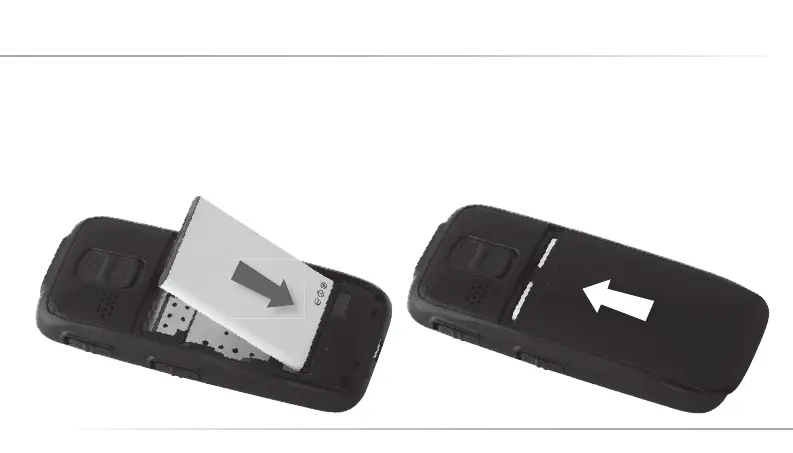
4. Put the battery in the battery slot 3 metal contact
points towards back and be in line with the metal
bolts at the bottom line of the cell phone, ensu-
ring the battery‘s 3 metal contact points are in
close alignment with the 3 metal bolts of the cell
phone.
5. Cover the battery, insuring the battery cover en-
tirely closed with a „Click” sound.
12
4. Inserting the Battery and the SIM Card
C12_Betriebsanleitung_ENG_end.indd 12 29.10.10 01:35



 To Next Page