Page | 15
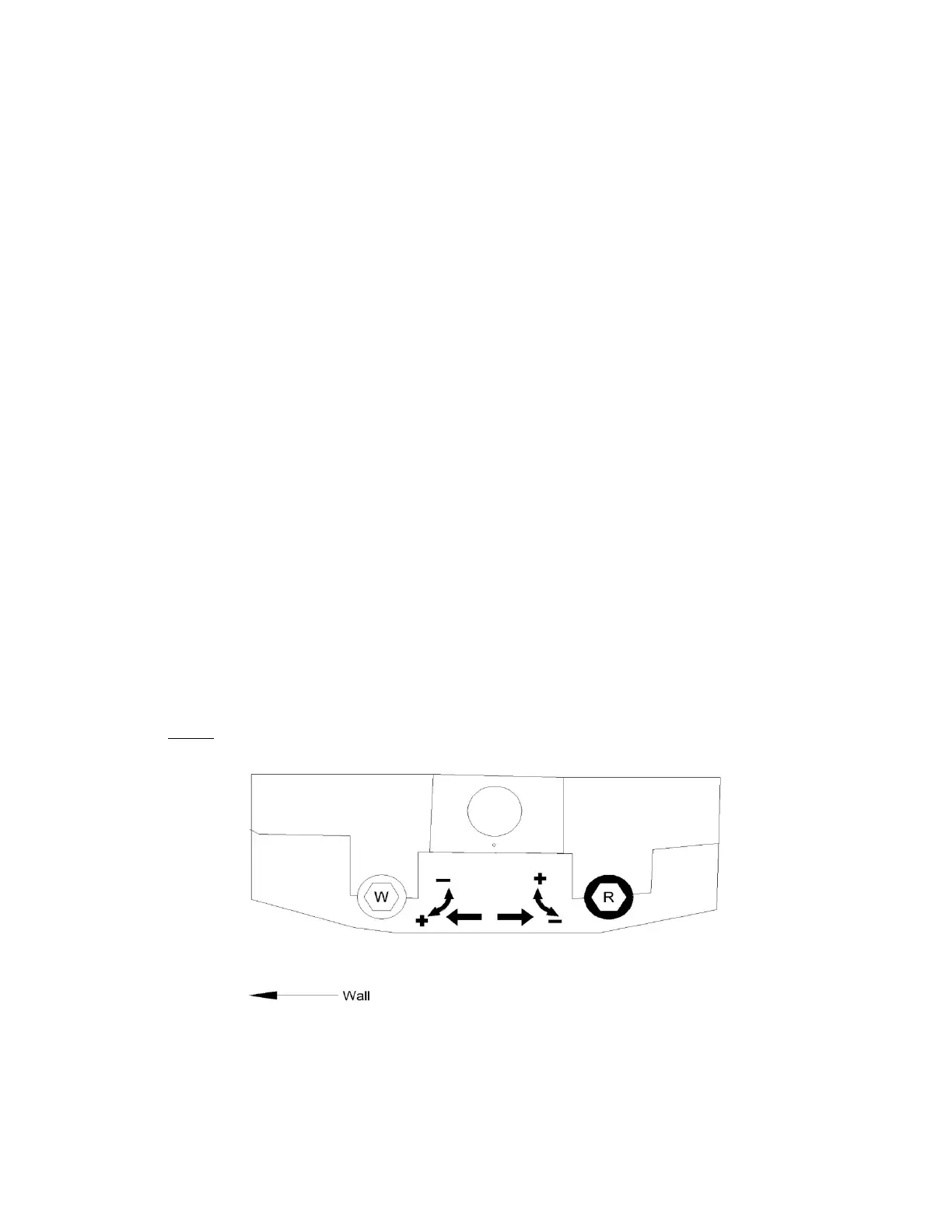
LEFT MOTOR MOUNT (when you face the house):
If the awning stops from closing completely:
1. Identify the Red Limit Control (close to the wall)
2. If the awning stops from retracting completely, then turn the control “COUNTER CLOCK WISE” direction
(one turn at a time) until it retracts completely.
If the motor continues to turn even after the awning completely retracted then do the following:
1. Identify the Red Limit Control (close to the wall)
2. Stop by pressing the stop button
3. Extend the awning about two feet and then
4. Then turn the control “CLOCK WISE” (three full turns) and then push the button to retract. If the awning
still continue to retract more than repeat the steps until it is completely adjusted.
If the awning doesn’t extend fully or to your desired extension then do the following:
1. Identify the White Limit Control (Away from the wall)
2. If the awning doesn’t extend fully or to your desired extension, the turn the limit control “COUNTER
CLOCK WISE” until it opens completely or it reaches till your desired extension.
If the awning continues to extend beyond your desired extension, then do the following:
1. Stop by pressing “STOP” button
2. Retract the awning by pressing “RETRACT” button for about two to three complete turns and press
“STOP” to stop it from further retracting
3. Turn the White Limit Control “CLOCK WISE”
4. Press to extend, if it extends still too much then
5. Repeat the above steps until it reaches your desired extension
LIMIT CONTROLS (WHEN YOU LOOK UP)


 To Next Page
 Loading...