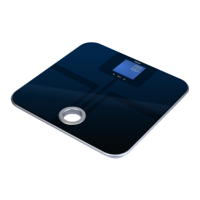
ONYX
IV. Scale Operation
1. Placethescaleonaat,levelsurface.
2. Tap the key to turn the scale on.
3. Once the scale displays zero, you are ready to weigh.
4. Place items to be weighed on the center of the scale
platform.
5. Whenyouarenishedweighing,youcanturnthescaleoff
by holding the key for 2 seconds.
V. Using the Tare Feature
You can use this scale’s tare feature to subtract the weight of an
empty container or vessel to weigh only the contents. NOTE: The
weight of the container will subtract from the available capacity.
1. Place the empty container or vessel on the weighing
platform.
2. Press the key once. The display will then reset
to zero. If the container is removed, its weight will be
displayed as a negative number.
3. Youmaynowllthecontainerwiththequantitytobe
weighed. The display will show just the weight of the
contents.
4. To return to normal weight display (gross weight), remove
any items from the weighing platform and press the
key again to re-zero the scale.



 To Next Page