User Interface
1.1 Setting Country and Language
User can select preferred country and language at Setup - Installation page.
(1) Press <Menu> button to enter Main Menu.
(2) Press <Left/Right> button to select SETUP option.
(3) Press <Up/Down> button to select Installation option.
(4) Press <OK> button to enter Installation page.
(5) Press <Up/Down> button to select Country option.
(6) Press <Left/Right> button to set Country Setting.
(7) Press <Up/Down> button to select OSD Language option.
(8) Press <Left/Right> button to set a language.
If there is no channel database in the STB, it will start at step(5) directly when booting.
1.2 How to receive the programs?
Scan the possible frequency and bandwidth to receive the programs.
Press <RED> or <GREEN> button to start Auto Scan or Manual Scan.
1.2.1 Auto Scan
Auto Scan will erase the database first, and scans default frequency and bandwidth by
Country Setting. Follow the steps (1) ~ (8) at section 1.1.
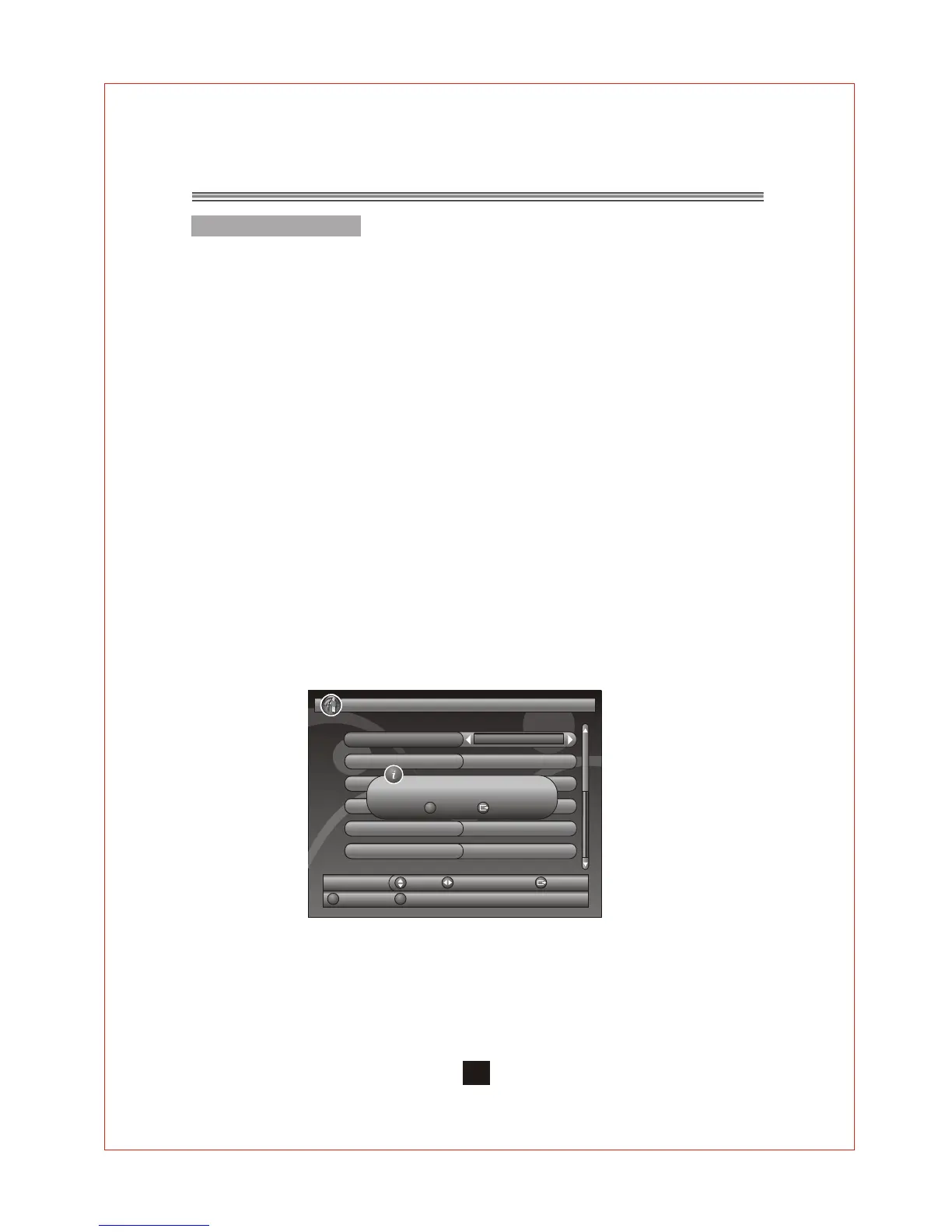
(9) Press <RED> button to be confirmed to clear the database.
(10) Press <OK> button to confirm clear action and start Auto Scan.
It costs time to do Auto Scan, user can press <Exit> button to exit at anytime. See
Figure 1.
Later if you want to scan again, you can follow above Quick Installation procedure.
Figure 1. Clear database message
1.Quick Installation
5
1.2.2 Manual Scan
Manual Scan adds the scanning results into database, it doesn't erase the
database.
But the User has to know the Frequency and Bandwidth for scanning.
If the user scans the same Frequency and Bandwidth more than once, the
previous programs will be overwritten. Follow the steps (1) ~ (8) at section 1.1.
SETUP. Installation
01/01/2008 00:19
Country Setting
Antenna_Setting
England
OFF
Move
Switch
Exit
Manual Scan
Auto Scan
OSD Language
English
Audio Language
Subtitle Language
LCN
OFF
ON
English
Exit YES
OK
Database will be cleared! Continue?


 To Next Page