One Button Recording:
ON: this option will start recording the program being viewed directly after
RECORD key is pressed. OFF: this option will enable user to pre-set the length of
recording after RECORD key is pressed.
Press <Up/Down/Left/Right> for navigation in the menu.
Press <OK> to select or modification confirm.
Press <EXIT> to exit the current menu.
Press <RED/GREEN/YELLOW/BLUE> for special function indicated in the menu.
Note:
For usility of TIMESHIFT/RECORDING/PLAYBACK function, USB2.0 storage
device is needed basicly. We strongly recommend user to use USB2.0 HDD,
and use independent partition for PVR.
Before using the partition, please format the partition through the set-top-
box.
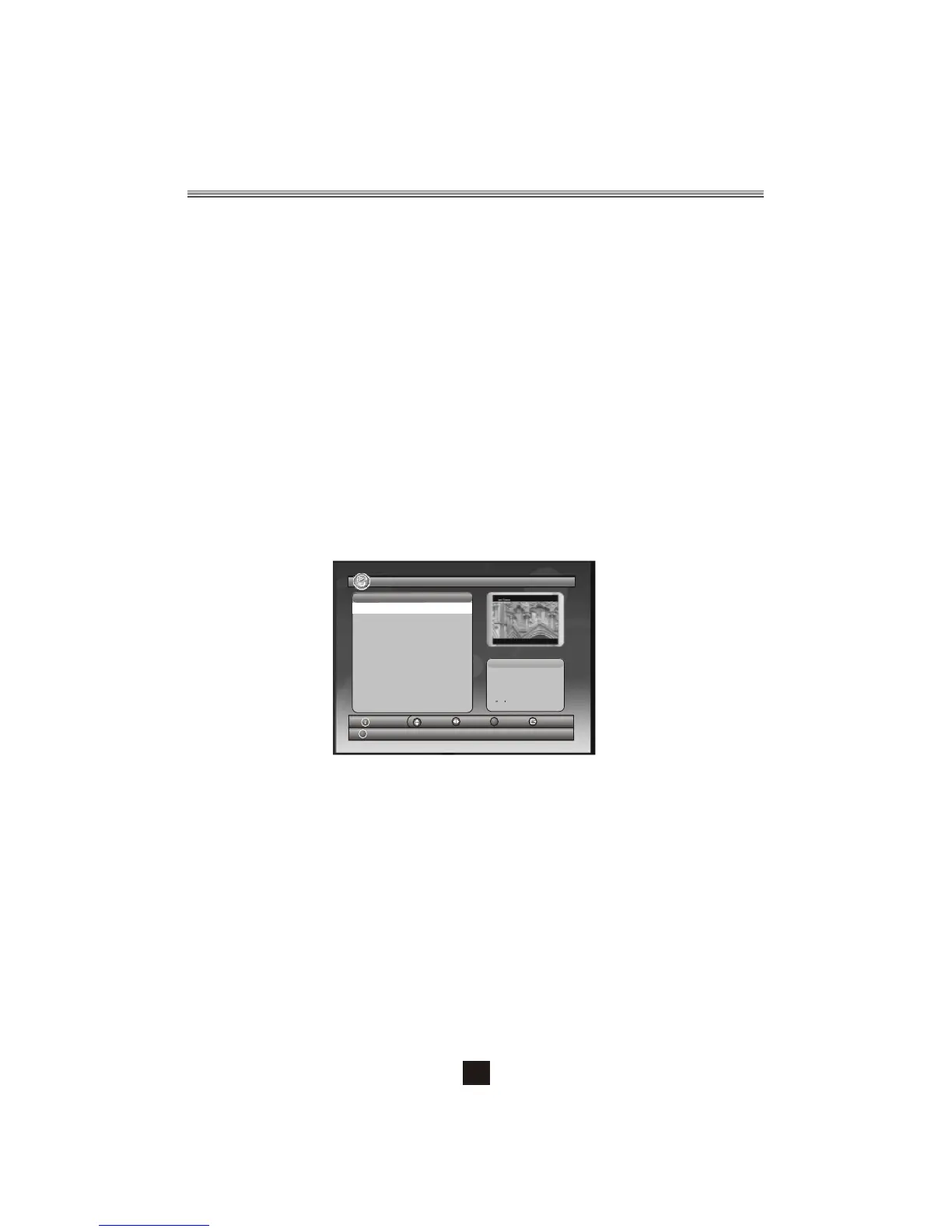
Figure 9. Recorded List
Please notice that FORMAT operation will delete all the files in the disk or the
current partition, so backup the files before FORMAT operation.
My Record- Recorded List
18/07/08 15:21
0001 Sky Travel_080717
0002 Sky Travel_080717
0003 Sky Travel_080717
0004 Sky Travel_080717
0005 UKTV History_080717
Select
OK
Page
Device
Exit
Del
Sky Travel_080717
08/07/17
16:44~16:45
00
01
12
Info
No. Progra mNa me
CH+/-
2.5 ACCESSORY
There are three options: Gomoku, Calendar, Calculator.
Gomoku
Press <Up/Down/Left/Right> button to set play mode and difficulty.
Press <OK> button to start play Gomoku.
Press <Up/Down/Left/Right> button to select the position.
Press <OK> button to place the piece.
Calendar displays the year, month, and date.
Calculator can used for mathematical calculations.
14


 To Next Page
 Loading...