
EasyManua.ls Logo

axing ORX 1-00 - User Manual

axing ORX 1-00
10 pages
Print Icon
To Next Page IconTo Next Page
Loading...
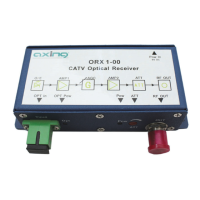
ORX 1-00
CATV Optical Receiver
Operation instructions

Questions and Answers

  • O
    odonnellrachaelAug 10, 2025
    What to do if the output level is low on my axing Receiver?
    • S
      Stacey RoseAug 11, 2025
      If the output level of your axing Receiver is low, first, ensure that the input optical signal is normal. Then, check the Adjustable Attenuator and rotate it to get the required output level. Finally, verify that the optical transmitter is working correctly.
  • R
    Ryan MacdonaldAug 20, 2025
    What to do if the input optical signal is poor on my axing Receiver?
    • S
      Sarah AndersonAug 20, 2025
      If the input optical signal of your axing Receiver is poor, you should first check the input power according to the 3-stage input power indicator or measure the input power. Next, verify that the optical connector (SC/UPC or SC/APC) is correct. Finally, clean the surface of the optical connector.
  • I
    iclaytonAug 31, 2025
    How to fix power supply LED indicator when it is OFF on axing Receiver?
    • L
      Lauren MartinezAug 31, 2025
      If the power supply LED indicator is off on your axing Receiver, check that the power cord plug is well connected. Also, check that the power jack on the receiver is firmly connected.

axing ORX 1-00 Specifications

General IconGeneral
Brandaxing
ModelORX 1-00
CategoryReceiver
LanguageEnglish