6
3. DVD
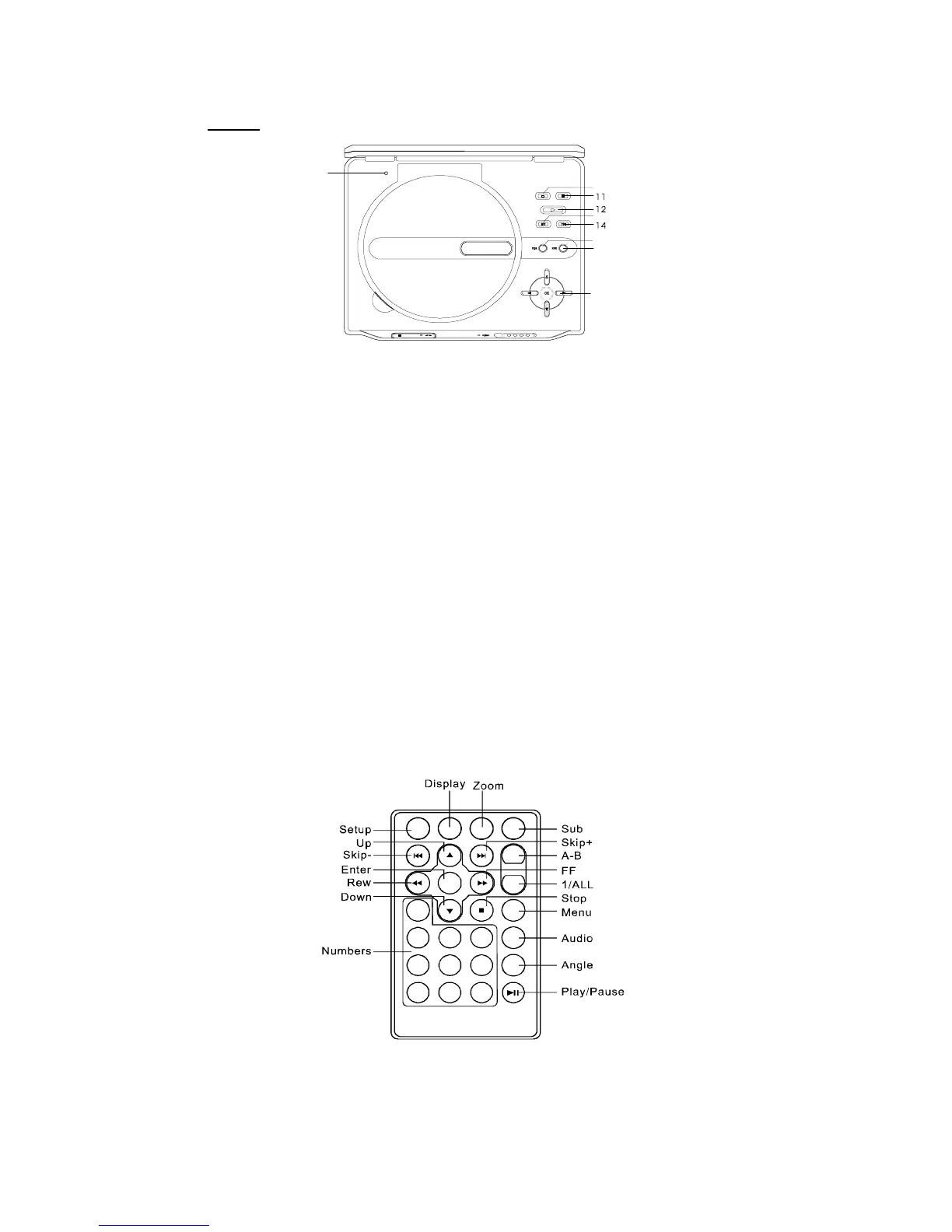
9) LCD shut off: Turns the LCD screen off.
10) Stop Button: Press once to stop playback. The player remembers where you
stopped playback and you can restart playing at this point. Press
twice to stop playback. The player does not remember where you
stopped playback.
11) Pause Button: Still the picture.
12) Play Button: Start playing a disc.
13) Previous Button: Go to the previous chapter, track, or scene during playback.
14) Next Button: Go to the next chapter, track, or scene during playback.
15) Wide Button: Switch the LCD display between 4:3 and 16:9 display ratio.
16) Menu Button: Show the DVD root menu.
17) Up/Down/Left/Right/OK Buttons: Used to highlight and confirm selections. Or
adjust LCD brightness during playback.
E. Remote Control View
9
10
13
15
16
17
CLOSE
PDF created with FinePrint pdfFactory Pro trial version http://www.fineprint.com



 To Next Page