AXISP14NetworkCameraSeries
Setup
Setup
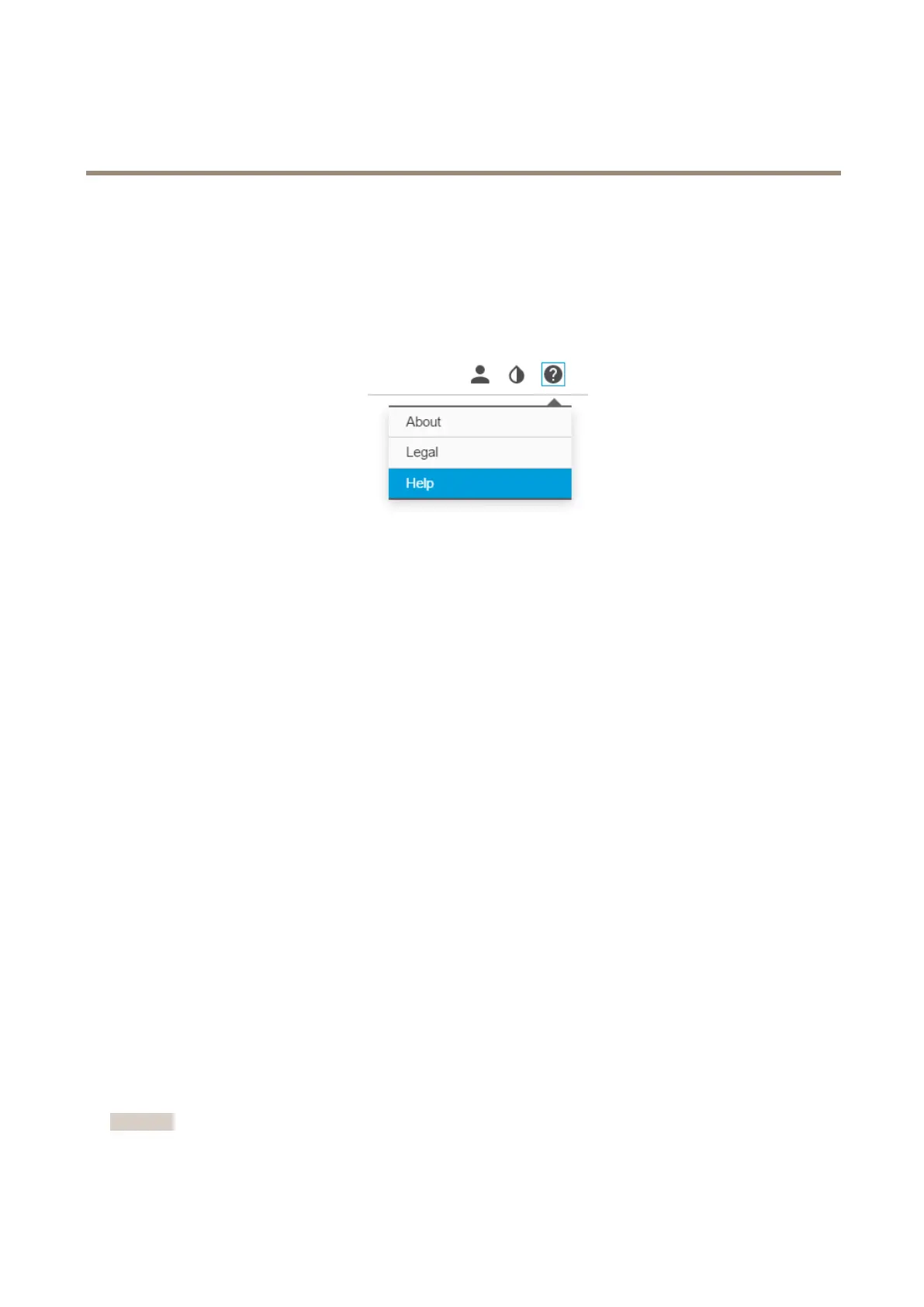
Abouttheproduct'sbuilt-inhelp
Youcanaccessthebuilt-inhelpthroughyourproduct’swebpage.Thehelpprovidesmoredetailedinformationontheproduct’s
featuresandtheirsettings.
Imagequality
Howtoselectexposuremode
Therearedifferentexposuremodeoptionsinthecamerathatadjustsaperture,shutterspeed,andgaintoimproveimagequalityfor
specicsurveillancescenes.GotoSettings>Image>Exposureandselectbetweenthefollowingexposuremodes:
•Formostusecases,selectAutomaticexposure.
•Forenvironmentswithcertainarticiallighting,forexampleuorescentlighting,selectFlicker-free.
•Forenvironmentswithcertainarticiallightandbrightlight,forexampleoutdoorswithuorescentlightingatnightand
sunduringdaytime,selectFlicker-reduced.
•Tolockthecurrentexposuresettings,selectHoldcurrent.
Aboutviewarea
Aviewareaisacroppedpartofthefullview.Youcanstreamandstoreviewareasinsteadofthefullviewtominimizebandwidth
andstorageneeds.IfyouenablePTZforaviewarea,youcanpan,tiltandzoomwithinit.Byusingviewareasyoucanremoveparts
ofthefullview,forexample,thesky.
Whenyousetupaviewarea,werecommendyoutosetthevideostreamresolutiontothesamesizeasorsmallerthantheviewarea
size.Ifyousetthevideostreamresolutionlargerthantheviewareasizeitimpliesdigitallyscaledupvideoaftersensorcapture,
whichrequiresmorebandwidthwithoutaddingimageinformation.
Howtohidepartsoftheimagewithprivacymasks
Whatisaprivacymask?
Aprivacymaskisauser-denedareathatpreventsusersfromviewingapartofthemonitoredarea.Inthevideostream,privacy
masksappearasblocksofsolidcolor.
You’llseetheprivacymaskonallsnapshots,recordedvideo,andlivestreams.
YoucanusetheVAPIX®applicationprogramminginterface(API)toturnofftheprivacymasks.
Important
Usingmultipleprivacymasksmayaffecttheproduct’sperformance.
7



 To Next Page