AXIS2911UVideoServerRack
InstallationGuide
ThisInstallationGuideprovidesinstructionsforinstallingAXIS2911UVideoServerRackwhichcan
holduptothreeAxisbladevideoservers.ToinstalltheAxisvideoserveronthenetwork,please
seethevideoserver’sowninstallationguideonwww.axis.com
InstallationSteps
1.Makesurethepackagecontents,toolsandothermaterialsnecessaryfortheinstallation
areinorder.Seepage7.
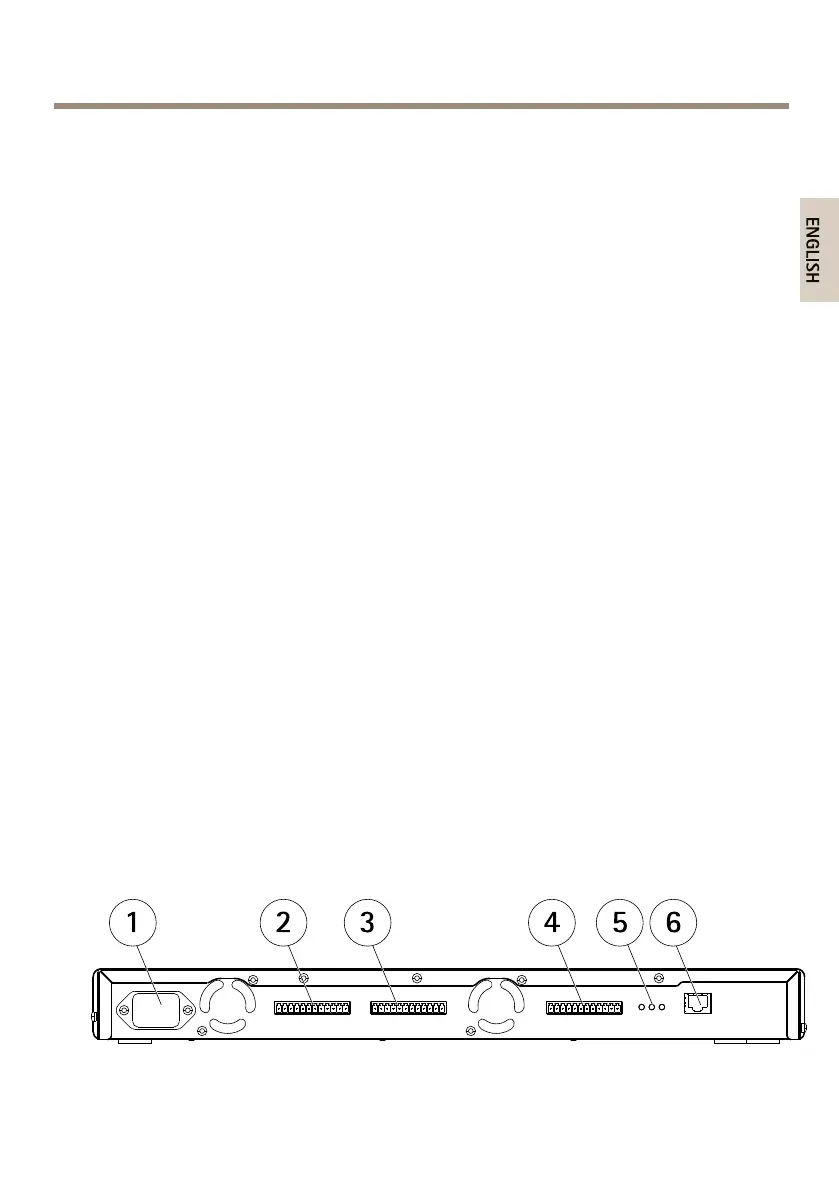
2.Studythehardwareoverview.Seepage7.
3.Studythespecications.Seepage9.
4.Installthehardware.Seepage12.
PackageContents
•AXIS2911UVideoServerRack
•Frontpanelcover1U(x2)
•ACpowercord,seepage9
•Mountingkit
-Rubberfoot(x4)forplacementonatsurfaces
-Mountingbracket(leftside)
-Mountingbracket(rightside)
-M3x8screwsforattachmentofsidebrackets
-M6x20screwsformountingAXISVideoServerRackinequipmentrack
-Terminalconnectorblock,12–pin,green
•Printedmaterials
-InstallationGuide(thisdocument)
HardwareOverview
1
Powerconnector
7



 To Next Page