AXISM4308-PLEPanoramicCamera
Configureyourdevice
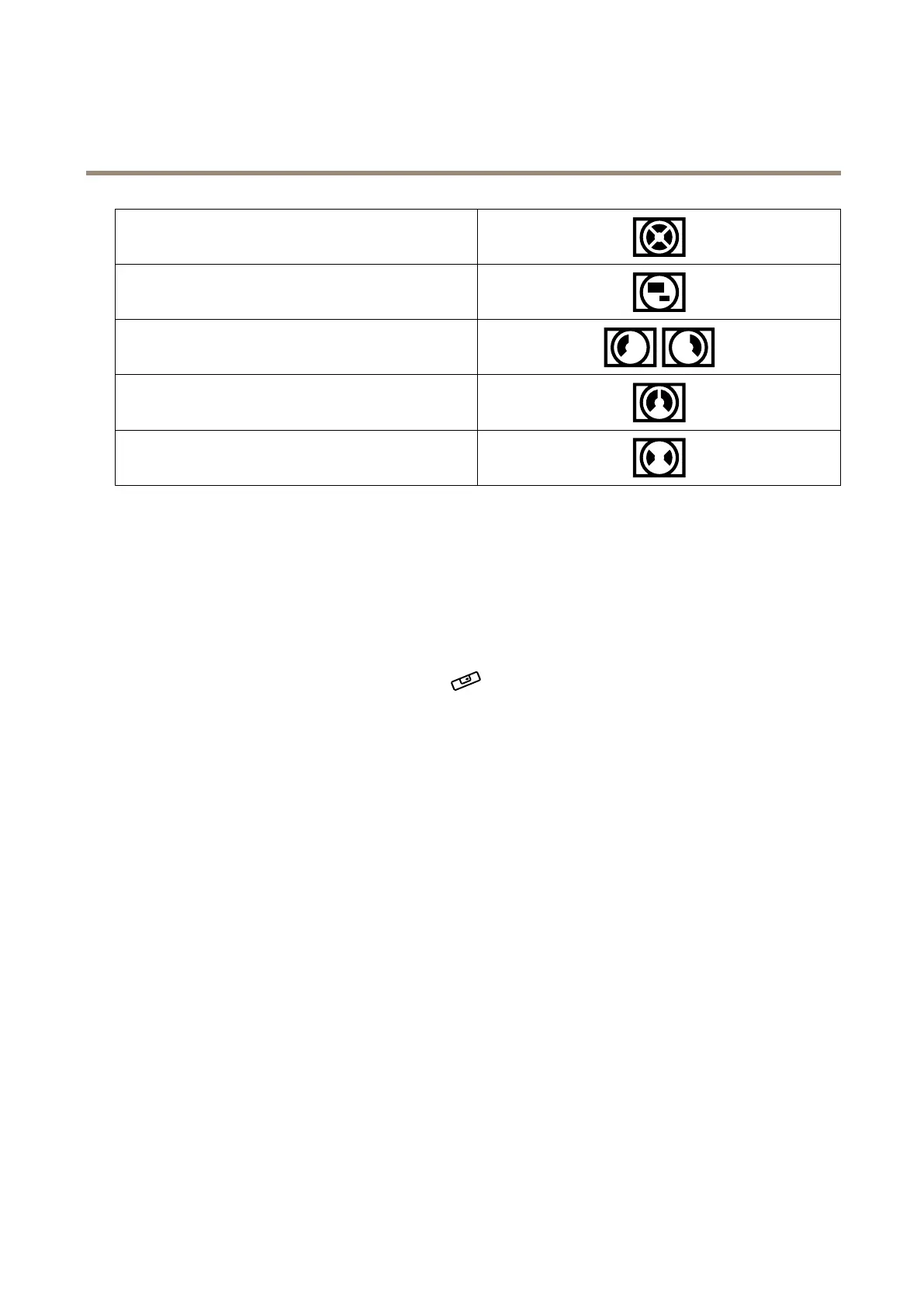
QuadView
ViewAreas1-4
CornerLeft/Right
DoubleCorner
Corridor
Selectcapturemode
Whichcapturemodetochoosedependsontherequirementsofframerateandresolutionforthespecicsurveillancesetup.For
specicationsaboutavailablecapturemodes,seetheproduct’sdatasheet.Tondthelatestversionofthedatasheet,gotoaxis.com.
Levelthecamera
Toadjusttheviewinrelationtoareferenceareaorobject,usethelevelingguideincombinationwiththedigitalrollsliderinthe
camera.
1.GotoSettings>System>Orientationandclick
.
2.AdjustthecamerabyusingDigitalrolluntilthepositionofthereferenceareaorobject,isalignedwiththelevelingguide.
Selectexposuremode
Toimproveimagequalityforspecicsurveillancescenes,useexposuremodes.Exposuremodesletsyoucontrolaperture,shutter
speed,andgain.GotoVideo>Image>Exposureandselectbetweenthefollowingexposuremodes:
•Formostusecases,selectAutomaticexposure.
•Forenvironmentswithcertainarticiallighting,forexampleuorescentlighting,selectFlicker-free.
Selectthesamefrequencyasthepowerlinefrequency.
•Forenvironmentswithcertainarticiallightandbrightlight,forexampleoutdoorswithuorescentlightingatnightand
sunduringdaytime,selectFlicker-reduced.
Selectthesamefrequencyasthepowerlinefrequency.
•Tolockthecurrentexposuresettings,selectHoldcurrent.
OptimizeIRillumination
Dependingontheinstallationenvironmentandtheconditionsaroundthecamera,forexampleexternallightsourcesinthescene,
youcansometimesimprovetheIRilluminationifyoumanuallyadjusttheintensityoftheLEDs.
1.GotoVideo>Image>Day-nightmode.
2.TurnonAllowillumination.
7



 To Next Page