AXISM43SeriesPanoramicCamera
Thewebinterface
Installation
Capturemode:Acapturemodeisapresetcongurationthatdeneshowthecameracapturesimages.Whenyouchange
thecapturemode,itcanaffectmanyothersettings,suchasviewareasandprivacymasks.
Mountingposition
:Theorientationoftheimagecanchangedependingonhowyoumountthecamera.
Powerlinefrequency:Tominimizeimageicker,selectthefrequencyyourregionuses.TheAmericanregionsusuallyuse60Hz.
Therestoftheworldmostlyuses50Hz.Ifyou'renotsureofyourregion'spowerlinefrequency,checkwiththelocalauthorities.
ResetPTR:ResetPTRifforsomereasonthePan,Tilt,orRollsettingsaren’tworkingasexpected.ThePTRmotorsarealways
calibratedinanewcamera.Butcalibrationcanbelost,forexample,ifthecameralosespowerorifthemotorsaremovedbyhand.
WhenyouresetPTR,thecameraisre-calibratedandreturnstoitsfactorydefaultposition.
Pan:Turnthecamerahorizontally.
Tilt:Turnthecameravertically.
Roll:Rotatetheimage.
Image
Appearance
Sceneprole:Selectasceneprolethatsuitsyoursurveillancescenario.Asceneproleoptimizesimagesettings,
includingcolorlevel,brightness,sharpness,contrast,andlocalcontrast,foraspecicenvironmentorpurpose.
•Forensic:Suitableforsurveillancepurposes.
•Indoor
:Suitableforindoorenvironments.
•Outdoor:Suitableforoutdoorenvironments.
•Vivid:Usefulfordemonstrationpurposes.
•Trafcoverview:Suitableforvehicletrafcmonitoring.
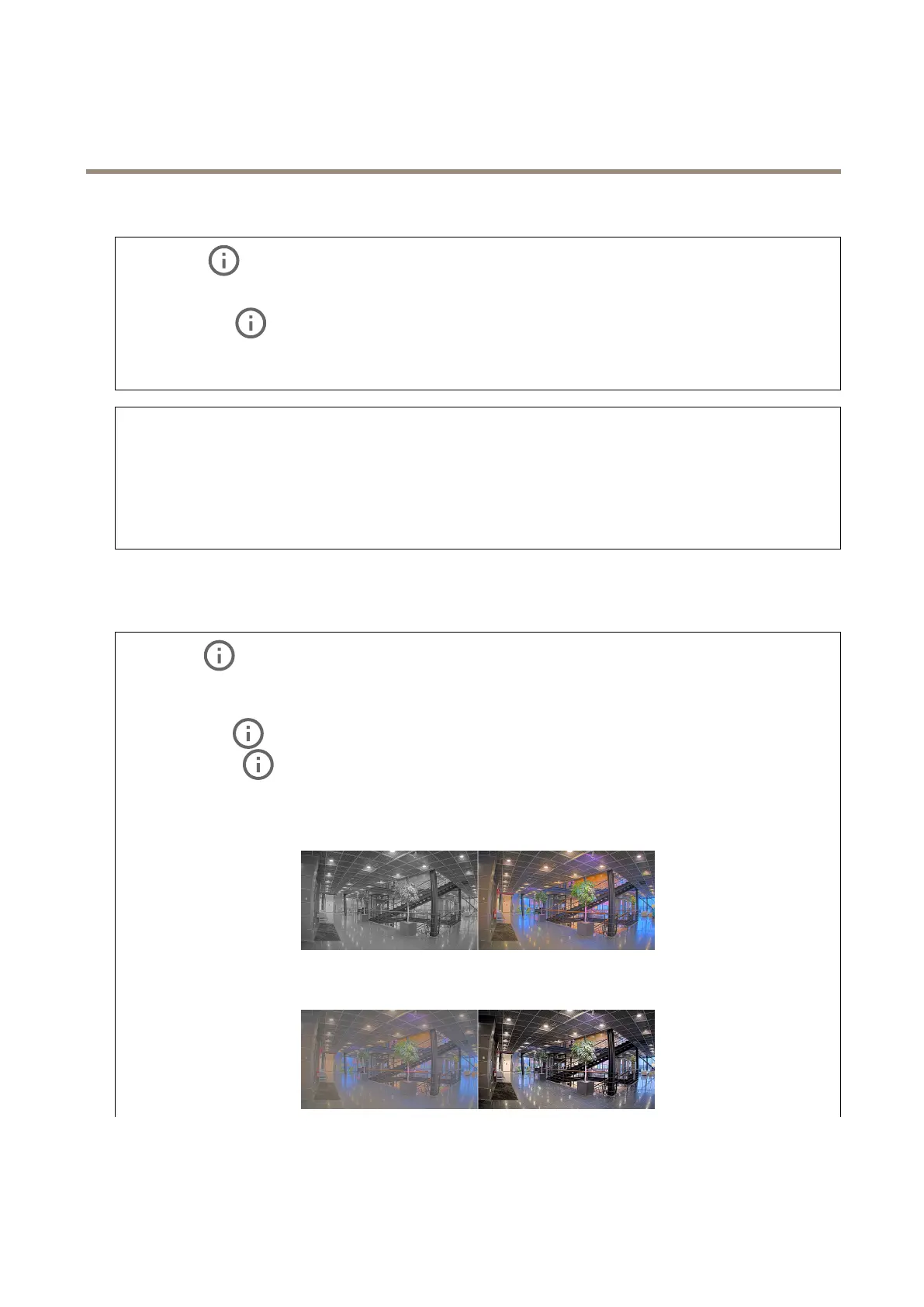
Saturation:Usetheslidertoadjustthecolorintensity.Youcan,forexample,getagrayscaleimage.
Contrast:Usetheslidertoadjustthedifferencebetweenlightanddark.
22



 To Next Page