AXISM43SeriesPanoramicCamera
Configureyourdevice
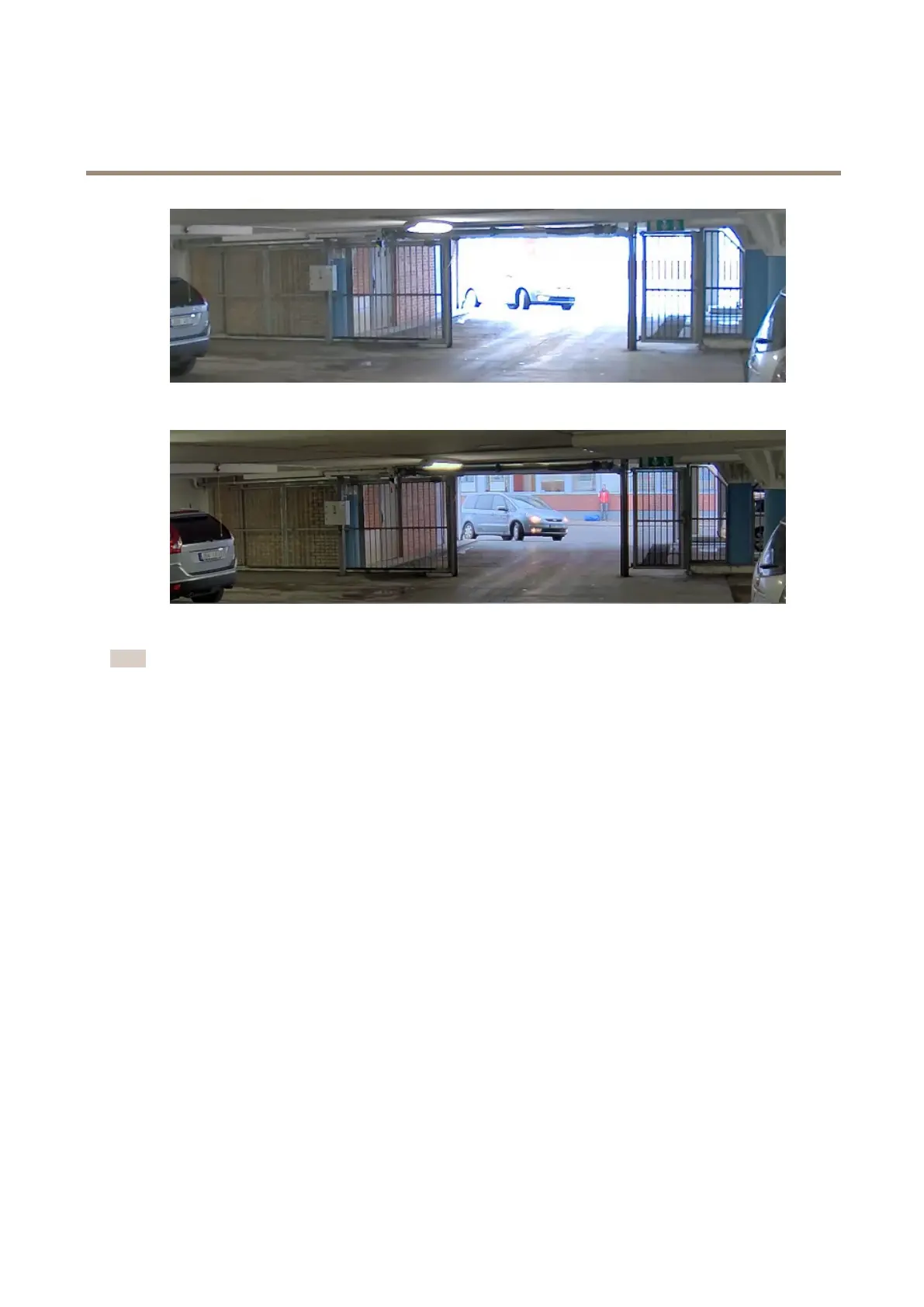
ImagewithoutWDR.
ImagewithWDR.
Note
•WDRcancauseartifactsintheimage.
•WDRmaynotbeavailableforallcapturemodes.
1.GotoVideo>Image>Widedynamicrange.
2.TurnonWDR.
3.UsetheLocalcontrastslidertoadjusttheamountofWDR.
4.UsetheTonemappingslidertoadjusttheamountofWDR.
5.Ifyoustillhaveproblems,gotoExposureandadjusttheExposurezonetocovertheareaofinterest.
FindoutmoreaboutWDRandhowtouseitataxis.com/web-articles/wdr.
Verifythepixelresolution
Toverifythatadenedpartoftheimagecontainsenoughpixelsto,forexample,recognizelicenseplates,youcanusethepixel
counter.
9



 To Next Page